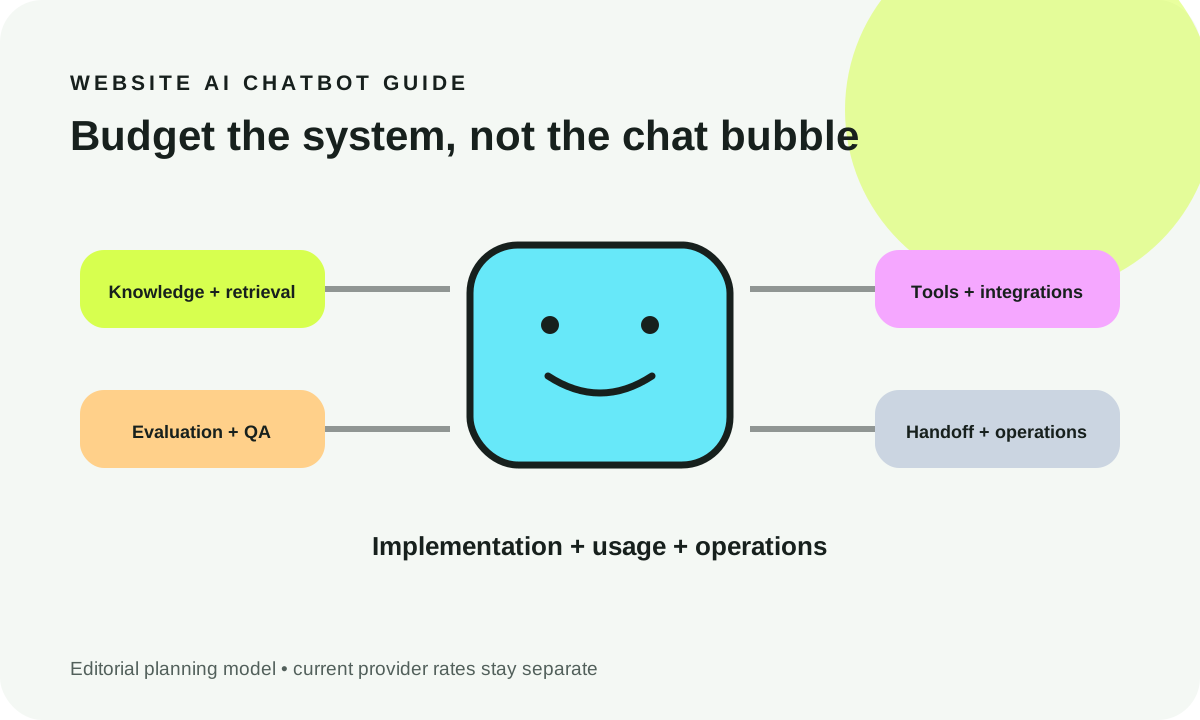
AI chatbots can make SaaS onboarding and support faster when they explain approved product guidance, retrieve tenant-authorized facts, and route uncertain cases to a person. They should not guess account status, bypass permissions, or execute a product action merely because a user asks. Start with one constrained journey, define what the assistant may know and do, and measure correct outcomes alongside escalation quality—not just how many conversations avoid an agent.
What you will decide: which SaaS conversations deserve automation, where knowledge ends and authorized product actions begin, how to pass work to a human, and which pilot tests justify a broader rollout.
Last editorial review: October 19, 2026. U.S. SaaS product and support teams. All scenarios and diagrams are illustrative; no customer conversion or performance statistics are implied.
0. Decision snapshot: help users without pretending the bot owns the account
A founder wants an AI assistant to answer product questions, walk new users through setup, and reduce repetitive support tickets. The attractive demo asks a question and receives a fluent answer. The production decision is quite different: can every answer, lookup and command respect identity, current documentation, tenant isolation and an accountable human fallback? If the team cannot demonstrate those controls, a narrower answer-only assistant is often the better first release.
Use AI for explaining stable concepts, finding approved steps and collecting the information an agent needs. Give it read-only tools only when the application can enforce access server-side. Treat mutations—changing billing, inviting users or modifying security settings—as separate product features requiring explicit, auditable approvals. When documentation is missing, outdated or contradicted by current account state, the system should say so rather than improvising.
Three sensible outcomes exist. Start when a knowledge owner, a limited intent set, real permission checks and evaluation samples are available. Pilot narrowly if support processes are good but integrations are immature. Defer when the knowledge base is unreliable, roles are unclear or the proposed assistant would need unrestricted privileged access to work.
1. Define the business job and success metric
A single chatbot can appear in sales, support, onboarding and the product UI, but those jobs have different definitions of success. A presales visitor may need accurate plan comparisons and a way to talk to sales; a newly invited member needs workspace-specific guidance. A support customer who cannot access a document needs troubleshooting, not an invented account diagnosis.
Write an intent statement before choosing a model: “Help an authenticated workspace member complete their first approved integration, using published help content; escalate when account configuration or permissions prevent completion.” Then identify an owner, the trusted source, success event, disallowed behavior and human escalation target. The critical metric is not message volume; it is whether a user safely completes their task or receives useful assistance.
A practical starter scorecard tracks task completion, grounded answer rate, appropriate handoff rate, false resolution, time to useful response and cost per resolved journey. Define denominators. A transcript that ends without another message is not automatically a resolved case. An escalation can be a correct outcome if a permission boundary blocked a dangerous shortcut.
A worked scenario, explicitly illustrative
Consider a fictional B2B SaaS product, HarborDesk, that helps teams manage project workspaces. Its trial users ask how to connect a calendar and why a workspace member cannot invite colleagues. The assistant is allowed to summarize approved setup instructions and read the signed-in user's workspace role from a narrow API endpoint. It cannot reveal another tenant's accounts, issue an admin invitation, or claim a calendar connection succeeded without a confirmed product result.
The pilot succeeds when a permitted member locates the right instructions, an admin receives the correct next step, and a blocked member gets a precise explanation plus an escalation path. That is more informative than boasting that the bot “deflected” three conversations.
2. Use-case map: discovery, support, onboarding and product assistance
Do not use one policy for every message. Discovery covers product fit, feature availability and sales qualification. Onboarding covers setup sequences, prerequisites and progress. Support covers errors, outages and account-specific troubleshooting. In-product assistance may retrieve current product state or initiate an approved action. Transactional requests can change money, access or stored data and therefore require stronger controls.
| Intent | Source data | Bot action | Tool or integration | Confidence / evidence gate | Human handoff | Primary KPI |
|---|---|---|---|---|---|---|
| Presales feature comparison | Reviewed public product pages | Cite distinctions and limits | Approved public retrieval | Current cited plans only | Pricing or contract exception | Qualified next step |
| First workspace setup | Versioned help article and step state | Show next permitted step | Signed-in read-only setup state | Matching product version and tenant | Stuck or missing prerequisite | Verified setup completion |
| Error explanation | Known error catalog and incident status | Explain safe troubleshooting | Ticket/status lookup | Exact code or documented matching pattern | Unknown or repeat failure | Correct resolution |
| Role or permission question | RBAC policy and current role | State effective access | Scoped role read endpoint | Server-authorized identity | Access dispute | Safe handoff |
| Billing update | Published billing policy | Explain procedure, never guess amount | Approved billing UI/deep link | Current account state; explicit consent | Refund, dispute or high-risk change | Correct completion |
| Delete or export data | Retention/export policy | Clarify requirements and route | Privileged product workflow, not model authority | Explicit auth, review and confirmation | Always if policy demands | Policy-compliant outcome |
The table distinguishes a knowledge response from a product action. An assistant might accurately explain “admins can invite members” while the signed-in user is not an admin. The safe response is an explanation of the limitation, not an attempt to invent permission.
Why a conversation router matters
Classify the job, then apply that job's source, entitlement checks, tools and fallback rule. A category-mismatched source is a common failure: a marketing FAQ should not override the authenticated product's current state, and an old tutorial should not silently override a changed security flow. Give the user a short path to correct or reclassify their request.

Illustrative workflow, not a measured user journey. The system boundary between the assistant and the product API must remain explicit.
3. Architecture: model, retrieval, tools, guardrails and handoff
A useful SaaS assistant is not simply an LLM attached to a search box. It is a small application with distinct responsibilities: authentication supplies identity, a router determines the job, retrieval returns approved context, the model drafts constrained language, application code decides whether a tool call is valid, and a handoff adapter transfers unresolved cases with minimal necessary context.
Retrieval is suitable for versioned explanations and product policies. Include the source title, URL, last review date, applicable product version and entitlement scope alongside each chunk. Reject retrieved material that the current user cannot access; hiding citations after generation is not enough if restricted text was already sent to a model or displayed.
Product tools need narrow, typed arguments. A “get my workspace setup status” tool should derive workspace ID from the authenticated session and verify it in the server handler. A “create invite” tool should require the product's own authorization checks, relevant confirmation and audit logging. Never interpret model-generated JSON as proof of permission.
Guardrails include input length and rate limits, source allowlists, server-side tenant checks, output encoding and refusal/handoff policy. They should apply to both the model and ordinary app code. Model instructions can improve behavior, but cannot replace authorization enforcement.
Explain the boundary to the user
The interface should distinguish “I found this in the setup guide” from “I checked your connected workspace” and from “I completed an action.” Each carries different evidence. If a tool request fails, do not turn a timeout into a cheerful success message. Show a safe error, avoid retrying a non-idempotent mutation blindly, and offer the appropriate manual path.
The official OpenAI function calling overview describes connecting models to external tools. That connection is an integration mechanism—not a grant of access to an end user's account.
4. Data sources, permissions and knowledge freshness
Many SaaS chatbot failures are data governance failures wearing conversational clothing. A help-center paragraph may be months old; an onboarding checklist may apply only to enterprise accounts; a customer support note may mention a private tenant. Build the source registry before adding a broad index.
For every knowledge collection, record owner, approval status, supported versions, last review, visibility (public, organization, workspace, restricted), retention, and a procedure for removing stale material. Retrieval metadata should be checked before content enters a prompt. A citation also needs to point to a URL or document the user is allowed to open.
Store tenant scope and role claims in the application authorization layer. The bot can ask for context, but it should not accept “I am the owner” as authenticated proof. A retrieval system should reject cross-tenant matches even when the text is semantically perfect. Evaluate this boundary as a security property, not just as an answer quality preference.
The permission boundary is not optional

Illustrative architecture. A prompt is never an authorization grant; enforce scope in the retrieval connector and again in the target API.
If the help guide and live account state disagree, label the distinction. For example: “The guide describes how admins connect integrations; I cannot verify your account's current permission.” If safe account access exists, offer a read-only check. If not, send the user to the product UI or a person rather than forging an account-specific conclusion.
5. Conversation design and fallback behavior
Good conversation design begins with what happens when the system does not know. A first response should confirm the job, provide a concise grounded step, and make the evidence or action source legible. Avoid paragraphs that bury the single click or configuration choice the user needs. Ask a clarifying question only when ambiguity could materially change the answer or its safety.
Consider this illustrative exchange:
User: “Can you give everyone access to billing?”
Assistant: “I can explain the billing roles, but I cannot change permissions here. Are you trying to review the current role settings or request an admin change?”
User: “I just need to see the invoices.”
Assistant: “Here is the approved invoice-access guide. Whether you can open them depends on your workspace role; an admin can review that in account settings.”
This pattern avoids both overrefusal and excessive agency. A confident incorrect action is worse than a modest, accurate limitation. When handing off, explain why, ask permission where required, and give the user a visible reference or reliable next step. Do not promise a human reply time unless the support operation actually guarantees one.
A useful fallback ladder is: narrow the question; cite available approved guidance; perform a server-authorized read if necessary and permitted; disclose uncertainty; and escalate with a compact consented summary. If a knowledge hit is missing, the empty state should name what was not found rather than hallucinating an answer.
6. CRM, helpdesk and product integrations
Integration value comes from reliable context transfer, not from accumulating logos. A CRM might provide a verified lead status, a helpdesk might create a ticket, and the product API might read onboarding progress. Each needs an owner, explicit scopes, data minimization rules, a retry strategy and observable failure behavior.
For helpdesk handoff, capture intent, user-verified symptoms, knowledge sources already offered, tool attempts and errors, priority reason, tenant-safe reference, and consent state. Do not include access tokens, complete retrieved private documents, raw account dumps or speculative diagnoses. The human agent should be able to resume without asking the same basic question, while still independently authenticating the requester before acting.
Prefer signed or server-issued identifiers to chat-provided IDs, and implement idempotency for ticket creation where appropriate. A network timeout after a creation request is not proof that nothing happened. A background retry could duplicate the ticket or charge, so the integration should check authoritative state before repeating side effects.
For product actions, require typed schema validation, role authorization, resource-level permission, explicit confirmation for sensitive mutations, success/failure observation and an audit event. The assistant should report the application's returned state, not its own expectation.
7. Evaluation: factuality, retrieval, latency and human outcomes
Write the evaluation set before the pilot so the team cannot redefine success after seeing attractive demos. Include ordinary setup questions, ambiguous wording, stale docs, unavailable tools, role mismatches, another tenant's resource ID, prompt injection hidden in a retrieved document, incorrect citations, malicious requests, and a user who explicitly wants a person.
| Evaluation dimension | Evidence to capture | Example failure | Release gate |
|---|---|---|---|
| Factual grounding | Approved source ID, claim-to-source review | Cites irrelevant feature page | Human-reviewed answer/citation correctness |
| Retrieval isolation | Authenticated tenant and permitted document IDs | Cross-tenant chunk enters context | Zero unauthorized examples in adversarial suite |
| Tool authorization | Backend result and audit event | Viewer issues an admin command | Every permission test denied correctly |
| Handoff quality | Correct reason, context and consent | Ticket omits attempted steps | Agent can resume with minimal re-questioning |
| Containment | Verified user outcome, not session abandonment | Bot declares resolved without evidence | No false “resolved” claims |
| Latency and resilience | Observed response time, timeout and retries | Slow timeout followed by fake success | Defined user-facing fallback works |
| Conversion / activation | Consented task milestones | Chat volume mistaken for activation | Measured authorized product event |
A practical review panel should examine sampled conversation traces with identifiers redacted and a fixed rubric. For each case, label the outcome correct, incorrect, uncertain or escalated; distinguish a justified escalation from a missed opportunity. Do not present containment and completion as identical. Measure your own pilot data and indicate dates, cohort and sample size before making performance claims.

No results are plotted because no first-party pilot dataset is supplied. The scorecard deliberately says “not measured”; see the scenario composer below for input-driven readiness indicators.
Build a safe onboarding/support journey in your browser
Use this small planning tool to decide how an assistant should handle a specific role and onboarding step. It does not query accounts, call a model or collect personal information. The graphic represents the number of gates your chosen setup allows, not observed accuracy, model performance or a customer outcome.
Interpret the output as a planning contract
The three changing bars correspond to: eligible approved guidance, proposed API scope and a valid human path. These are binary policy checks from your inputs, not a performance forecast. When a bar blocks, investigate its cause before claiming a bot is ready. Test the generated adverse cases with your own role fixtures and mock endpoints. The handoff JSON deliberately contains no customer identity or transcript; a production helpdesk adapter should append only server-verified identifiers after consent and retention review.
A member asking to change permissions should see an explanation and a handoff, not a tool call. Switching to the cross-tenant challenge demonstrates that the same attractive product action must become a hard deny when the requested resource belongs elsewhere.
8. Privacy, security and auditability
Secure SaaS assistance begins with data minimization. Decide which conversation fields the product genuinely needs, where they reside, who can inspect traces and how long they persist. If support data is sent to a model provider, review the applicable contractual, retention and cross-border handling terms with the security/privacy team. Never ask users to paste tokens, passwords or complete secret configuration into chat.
Threat-model prompt injection from retrieved content, sensitive data disclosure, cross-tenant retrieval, tool misuse, unbounded consumption, and improper output handling. The OWASP GenAI LLM Top 10 provides a current risk taxonomy; use its guidance as a checklist, not as certification. The NIST Generative AI Profile provides a governance-oriented framework for assessing, documenting and managing generative AI risk.
A good audit log records an action identifier, authenticated role, server-verified target scope, allowed or denied decision, tool status and safe timestamps. Do not write raw prompts or full retrieved records to general analytics by default. Consent-aware product telemetry can measure adoption, but privacy expectations should be explained plainly. Unauthorized access attempts need an escalation process and a clear security owner.
The most useful red-team test
Place an instruction in a retrieved help article telling the assistant to ignore prior rules and fetch private billing details. The correct behavior is to treat that sentence as untrusted source text, answer only the user's approved question, and avoid any cross-tenant action. Repeat the test for a guest, a member and an admin. Passing a single demo does not establish broad safety.
9. Cost and maintenance model
Compare ongoing operating work, not simply the sticker price of inference. Costs may include retrieval index refresh, model input/output tokens, tool service calls, helpdesk seats, observability, evaluation, incident review, privacy and security operations, and people maintaining documentation. Vendor pricing and model availability can change quickly; validate the current provider's official USD rates on the actual purchase date instead of reusing an old blog estimate.
For a transparent internal planning equation, calculate:
Monthly operating estimate = conversation volume × average model/service cost per conversation + vector/retrieval hosting + integration overhead + evaluation and human review + allocated maintenance.
Then compare it with the actual verified outcome: time saved on correctly handled journeys, assisted activation, appropriate handoffs, and cost of incorrect answers. Do not assign imaginary savings to a conversation that ended or a ticket that was never reopened. Track retry loops and needless tool calls; an efficient prompt cannot rescue an unbounded integration.
Start with a tight budget limit, per-tenant quotas, timeouts, a circuit breaker and a graceful fallback. Cache only safe, public or correctly partitioned data. Refresh source versions whenever release notes change a workflow. Every product change that alters onboarding steps should have a companion knowledge maintenance owner.
10. Pilot and production-readiness checklist
Use a two-stage rollout. First, an offline evaluation set runs against fixed knowledge and mocked product tools; security and support owners review the results. Then a supervised limited cohort uses read-only product integrations, with clear disclosure, visible escalation and a route back to conventional support. Treat a new language, privileged workflow or tenant class as a new risk slice rather than assuming earlier success transfers.
- Choose one conversation job, owner, supported product version and verified completion event.
- Approve and version all knowledge; document visibility and freshness rules.
- Enforce authentication and tenant scope before retrieval and inside every API handler.
- Keep dangerous account mutations outside the model's permission boundary.
- Implement source attribution, uncertainty disclosure, retry/timeouts and safe fallbacks.
- Prepare adversarial, stale-source, ambiguous and role-specific evaluation cases.
- Measure correct outcomes, false resolution, latency, safe handoffs and cost with explicit denominators.
- Build a consent-aware minimal human handoff and user-visible support path.
- Verify audit logging, retention, incident response and data deletion responsibilities.
- Re-run the release suite after help-center, model, role-policy or integration changes.
Frequently asked decisions
Should every support question reach an AI model? No. Clear transactional actions, standard UI navigation and sensitive identity flows can be faster and safer as ordinary deterministic product interfaces. Send uncertain explanatory work to a model only when the source and authorization layer are ready.
Does a citation mean an answer is correct? Not by itself. A cited passage may be outdated, misinterpreted, irrelevant to the current role or inaccessible to the requester. Evaluate claim-to-source fidelity and permission eligibility independently.
Can a bot create or change account records? Technically a tool adapter can invoke an API, but the right design requires the same product-level authentication, authorization, confirmation, audit and rollback/retry protections as any other client. A prompt cannot supply those guarantees.
What if escalation increases? It can be a sign the bot is correctly respecting uncertainty or permissions. Review whether the human received enough context and whether the trigger is too broad; do not suppress justified escalations merely to improve a dashboard percentage.
Do we need to train a custom model? Not necessarily. Start with accurate documentation, retrieval, constrained orchestration and a solid evaluation set. Consider customization only after identifying repeated, measured failure modes that simpler changes cannot address.
Where a scoped implementation conversation starts
After you can name one journey and the safe boundaries around it, WebDesignK's AI chatbot development service can help scope the authentication, retrieval, tool authorization, handoff and evaluation work. Bring one real workflow, source ownership and a few redacted failure examples. The useful next deliverable is a bounded architecture and pilot plan—not a promise of automatic support savings. You can also share your requirements through the contact page.
Source notes and review date: reviewed October 19, 2026. Relevant external references include OWASP GenAI security risks, NIST AI RMF Generative AI Profile and OpenAI's function-calling overview. This is engineering and product guidance, not legal advice or provider-specific pricing.