A high-performing B2B landing page connects the visitor's specific job to a credible promise, shows evidence that the promise can be delivered, and offers an appropriate next action without unnecessary form friction. Start with traffic intent and an honest value proposition; then make proof, CTA wording, and requested fields consistent. Measure qualified outcomes—not just button clicks—and revise the page only when real evidence identifies a bottleneck.
What you'll decide: which buyer job the page addresses, what proof it needs, whether to offer a consultation or a lower-commitment step, how many fields are justified, and what evidence would warrant changing the design.
Editorial review: October 19, 2026. This is a practical planning guide for U.S.-focused B2B teams, not a report of measured client conversion results.
0. Decision snapshot: message, proof, CTA, and forms are one system
A landing page is a decision path, not a collection of fashionable conversion patterns. Its headline answers "Is this for me?", its proof answers "Can I believe this?", its CTA answers "What happens next?", and its form answers "What information is truly needed?" Improving any one of these without the others may add clicks but reduce the quality of the resulting leads.
The biggest trade-off is reducing immediate friction versus preserving enough context for a useful handoff. An enterprise integration inquiry may require a relevant technical detail before a specialist can respond; a downloadable educational guide usually does not need a phone number. Don't use the same form and CTA for every intent.
The Google Ads landing-page guidance emphasizes relevance between ad and page, simple navigation, and accessible next actions. That is useful guidance, not a guarantee that a particular layout will improve revenue. It supports a more important principle: deliver what the visitor reasonably expected when they clicked.
1. Executive quick answer: what makes a B2B landing page effective?
A visitor should recognize the use case and intended audience within the first visible section. A clear headline identifies the job or outcome, supporting text specifies scope and constraints, and the first proof point shows why the statement deserves trust. A CTA states the expected next step in plain language, while the form asks only for information needed to complete that step.
Consider a fictional cloud-migration consultancy. "Transform your business" tells a qualified infrastructure lead almost nothing. "Plan your first production cloud migration with an inventory-led risk review" offers a concrete job, but it still needs documentation of the review method, relevant expertise, and what the person receives after submitting. This example is illustrative; it is not a verified business case.
The page's four jobs
- Message match: preserve the problem and intent from the search result, ad, email, or referral.
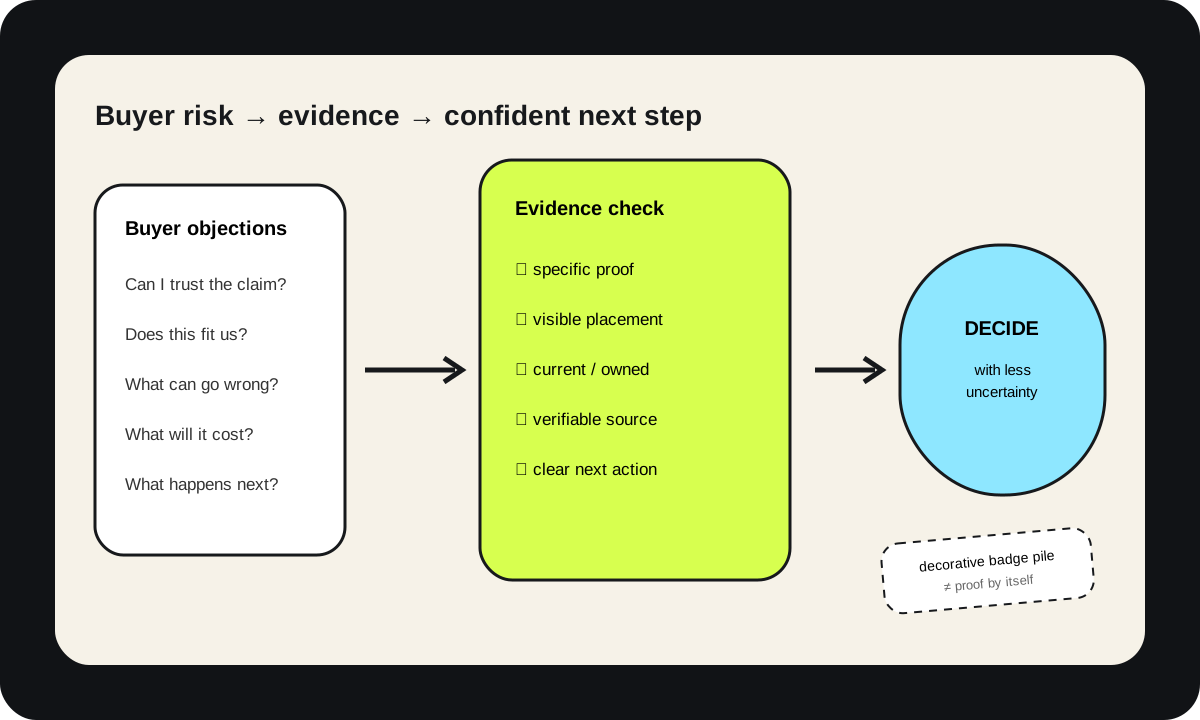
- Proof: match important claims to legitimate, verifiable evidence—not anonymous praise or invented percentages.
- Action: offer a next step that fits how ready the buyer is to engage.
- Form: collect the minimum useful data, explain what happens afterward, and provide an accessible alternative.
The first screen is important, but it is not the whole evaluation. Complex B2B buyers may need technical constraints, implementation scope, a security explanation, commercial fit, and clear answers to objections before deciding to contact anyone. A short page with unsupported promises is not inherently better than a detailed one.
2. When poor landing-page decisions become expensive
You should prioritize a landing page when the team is paying to attract relevant visitors but cannot explain why those visitors leave, submit unhelpful inquiries, or abandon the next step. Another trigger is a product or positioning change: if outbound campaigns promise a service the page no longer describes, you may be losing trust before an actual conversation starts.
Three costly failure patterns recur in planning exercises.
Failure 1: the ad and headline promise different things
Imagine a campaign targeting integration readiness, but the landing page emphasizes general software development. The buyer has to reconstruct relevance. Detect the gap by comparing actual campaign wording, on-page headings, query intent, and recorded objections—not by assigning a speculative bounce-rate benchmark.
Google Ads describes landing-page experience using usefulness, relevance, navigation, and expectations from the preceding ad. https://support.google.com/google-ads/answer/14086?hl=en. A useful first fix is often a purpose-built, truthful headline and opening paragraph, not a site-wide redesign.
Failure 2: impressive-looking proof has no defensible source
A polished testimonial carousel or row of logos can make a page look credible while offering no verifiable reason to trust a particular capability. Unsupported performance numbers, composite quotes presented as real, or unauthorized customer marks can introduce compliance and reputational risk. Ask who supplied the proof, what claim it actually supports, whether it is current, and whether publication is authorized.

Failure 3: the form asks for commitment before offering clarity
If the page asks for budget, phone number, employee count, address, and a calendar booking before explaining what the consultation covers, cautious buyers have little reason to proceed. But removing all fields can create a different problem: your team cannot route the request.
Detect the issue by observing form starts, field-level validation errors where privacy-preserving instrumentation is appropriate, completed submissions, downstream qualified outcomes, and direct feedback from the people handling inquiries. Do not confuse low volume with high quality or high volume with productive demand.
3. Decide using constraints, not a universal template
Before writing the page, collect the inputs that determine what can legitimately be promised: the campaign brief and traffic sources, actual buyer interviews or sales objections, current service scope, product capabilities, approved customer evidence, security/compliance claims, form routing responsibilities, and usable analytics definitions. Without these, designers will fill the gaps with attractive but unsupported assumptions.
Message-to-proof decision table
| Decision | Option | Benefit | Trade-off | Effort | Best fit |
|---|---|---|---|---|---|
| Lead with the buyer's task | Job-specific outcome headline | Immediate relevance | Requires separate variants for distinct audiences | Low–medium | Focused search or paid campaign |
| Lead with product category | Category plus clear differentiator | Helps buyers compare vendors | Can sound generic when unsupported | Low | Category-aware prospects |
| Proof presentation | Methodology and documented example | Credible, inspectable explanation | Requires maintenance and review | Medium | Technical evaluation |
| Proof presentation | Authorized case study | Illustrates a real use case | Permission, confidentiality and comparability constraints | Medium–high | Risk-sensitive purchases |
| Primary action | Book a consultation | Direct expert engagement | High commitment for early-stage visitors | Medium | Buyers with defined requirements |
| Primary action | Request an assessment | Creates a defined deliverable | Delivery process and owner must exist | Medium | Diagnostic or bespoke services |
| Alternative action | Read an implementation guide | Respects low-intent discovery | Not a direct sales submission | Low | Research-stage visitors |
| Form strategy | Minimum context fields | Less personal data and friction | May need human follow-up | Low | Early qualification |
| Form strategy | Additional scoped questions | Better handoff context | Higher burden; needs testing | Medium | Complex enterprise qualification |
Benefits and effort are qualitative editorial planning judgments, not benchmarked conversion statistics.
Choose a message that is specific without overpromising. "We help mid-market operations teams document their integration risks before scope approval" is more defensible than "We guarantee 3x faster integrations" unless credible, relevant evidence really supports that quantified claim.
4. Recommended implementation, step by step
Start with one campaign and one intended visitor job, not an all-purpose page that tries to serve every product, geography, and buyer type simultaneously.
Step 1: map arrival intent to the first screen
Write down the exact traffic promise—search snippet, ad text, partnership referral, or outbound invitation. State which visitor it serves and what decision they want to make. Keep the on-page language aligned with that promise while remaining accurate about scope, eligibility, and possible outcomes.
Step 2: write a falsifiable, useful promise
Use a headline with an audience or task and a concrete deliverable. The supporting sentence should clarify constraints and distinguish the offering from an easy-to-misunderstand alternative. Ask a real domain expert whether the page's claim can be verified from current service documentation. Remove claims that cannot.
Step 3: put the right proof next to the claim
A service-implementation claim may require a process walkthrough and credentials; a security claim may require accessible policy documentation; a customer result requires permission, context, sample definition, and a non-misleading explanation of what happened. Do not use a testimonial about friendly service to substantiate a claim about technical performance.
Step 4: make the CTA a truthful contract
"Get a plan" is vague unless the buyer knows what the plan contains, who prepares it, whether there is a charge, and roughly what the next interaction involves. "Discuss your API integration scope" can be appropriate when a specialist is available. "See the implementation checklist" may fit an exploratory visitor. Keep the page's first commercial CTA after some useful explanation or proof rather than demanding a lead before providing information.
Step 5: design the form backward from the handoff
The person receiving the inquiry should identify the minimum information needed to respond well. If role and project type are enough to assign a queue, do not demand a phone number as well without a clear reason. Use proper visible labels, clear optional/required indications, useful error explanations, and a confirmation that distinguishes a successful submission from a mere click.
The W3C Web Accessibility Initiative form guidance explains how to provide instructions and associated labels. A placeholder is not a reliable replacement for a label. W3C guidance should inform implementation, but automated testing alone does not prove that a form is accessible to every user.
Step 6: test the complete transaction
Verify keyboard operation, browser validation, mobile layout, duplicate-submission behavior, permission controls, email/CRM delivery, and the experience when an integration fails. A click event is not a lead; a successful request that never reaches the responsible team is not an acceptable handoff. Ensure the visitor sees an accurate next step.
5. Scenarios by company stage and buying process
The right page depends on where the business and the buyer sit in their respective journeys. A founder testing a new market needs evidence that the problem and offer are real. A mature service company selling to risk-conscious enterprises may need procurement answers before a buyer considers a meeting. Neither should copy the other's form purely because it looks modern.
Early-stage B2B services
An early-stage team might lack authorized customer case studies. That is not permission to fabricate them. Explain the process, show an original worked example labeled illustrative, introduce responsible experts accurately, and offer a scoped diagnostic rather than promising guaranteed business outcomes. A useful CTA might be "Review my integration requirements" with a brief explanation of what the reviewer can return.
Keep qualification limited. The team can ask for a broad use case, a company or project type, and a preferred follow-up channel when justified. Validate whether a shorter form produces meaningful conversations, not merely more anonymous submissions.
Established software or infrastructure provider
The buyer may need feature boundaries, deployment requirements, data protection, technical ownership, and a way to distinguish actual customer evidence from generic marketing language. An integration-focused landing page can include a compatibility checklist and a documented escalation path for nonstandard deployments.
The CTA could be a technical evaluation or solution-architecture conversation, while an independent documentation link supports buyers who are not ready to talk. Enterprise use cases can justify some additional fields, but each needs a defined owner and routing purpose.
Larger multi-market teams
A national or multilingual campaign may need multiple landing pages because different buyers use different terminology, pricing structures, and compliance assumptions. Keep canonical and localization rules deliberate; translate arguments and evidence appropriately instead of mechanically swapping headings. A fast copy rollout is not worth inconsistent promises and unapproved translations.
When campaign paths overlap, decide whether distinct pages answer distinct reader questions. Do not create near-identical doorway pages solely to target every keyword variation. Use actual buyer differences and maintainable documentation as the reason for a separate experience.
6. Technical and operational considerations
Landing-page quality depends on details that a static screenshot cannot show. A large hero image that delays content can undermine an otherwise clear message. A sticky navigation bar can cover focus targets. A third-party form script can fail silently. A privacy banner can block the only CTA. Test the functional page from arrival through the next-step confirmation.
Mobile speed and interaction
Google's Core Web Vitals documentation describes field metrics for loading, interaction responsiveness, and visual stability. Check real-user experience at the 75th percentile where there is sufficient data, and inspect mobile and desktop segments independently. Do not promise a revenue increase from improving one score; verify the connection to your own user journey.
Keep critical copy rendered in accessible HTML. Optimize real imagery with appropriate sizes. Reserve layout space for media and embedded content. Ensure buttons have readable names, form labels remain visible, and error messages are announced in context.
Analytics and consent
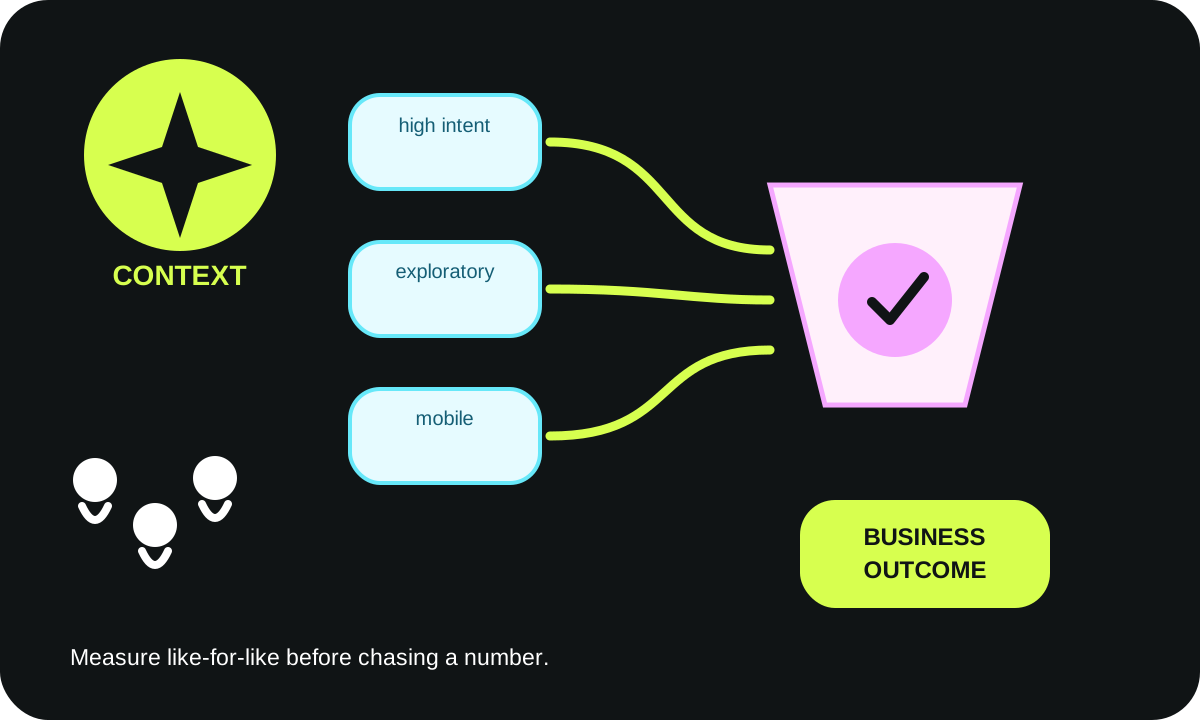
Define lead generation before attaching events. A meaningful measurement plan distinguishes landing-page sessions, CTA selection, form start, validated submit, accepted lead, qualified lead, and eventual business outcome. A form click or network request may fail. Associate analytics with successful events and avoid sending sensitive form fields into tracking payloads.
Google Analytics provides a recommended generate_lead event and separate downstream lead events. Instrument these consistently if analytics are enabled and permitted. Retention, consent requirements, and applicable privacy rules differ; involve the relevant owner rather than copying another company's banner settings.
CRM routing and reliability
A lead capture endpoint should validate fields server-side, rate-limit obvious abuse, avoid duplicate writes, and send an acknowledgement only after the intended action succeeds or is explicitly queued. Preserve a failure log that can explain whether the form, API, CRM mapping, or downstream email failed, without exposing unnecessary personal data.
A developer should be able to answer: What happens after the button is pressed? Who owns the resulting lead? How long does it take to see a failure? Can the workflow retry safely? Can a person use the page if the analytics script is blocked? If not, the page has a delivery problem—not merely a visual-design problem.
7. Common mistakes and warning signs
Watch for generic headlines that could describe any competitor, a hero image that illustrates no actual offering, unexplained testimonials, and a CTA with no information about what follows. These signals often mean the team prioritized visual polish before clarifying buyer intent.
A page can also be too aggressive: multiple competing forms, repeated modal interruptions, urgency that is not real, or a requirement to create an account before reading basic service information. Such practices can make a page feel untrustworthy even when the underlying product is strong.
The opposite mistake is under-qualification. Removing every contextual question might lift raw submissions while creating manual work. Ask only what the next team actually uses, then test whether that information improves routing quality. If a field has no owner or consequence, treat it as a removal candidate.
A third problem is stale proof. A formerly accurate integration statement may no longer describe the latest plan, or a permission to use a customer logo may expire. Put evidence and claims into an owned review schedule; do not assume a published page is permanently correct.

8. How to evaluate options without invented benchmarks
A design review should compare two or more coherent experiences, not random button colors. One variant may lead with a highly specific implementation task and documented process; another may lead with a broader category and an approved case study. The valid comparison asks which message helps the intended buyer understand the offer and take a useful next step.
Use qualitative interviews when traffic is insufficient for a reliable experiment. Interview both buyers who submitted and buyers who decided not to proceed. Review anonymized sales feedback about the quality of the resulting inquiry.
When enough eligible traffic exists for an experiment, predefine the primary metric, unit of analysis, sample boundaries, decision criteria, and rollback. Avoid declaring a winner after only a small handful of leads. Statistical uncertainty matters; a percentage without a numerator, denominator, and date range is not evidence.
Interactive landing-message and form test lab
The tool below creates two headline hypotheses based on the buyer job, objection, proof quality, next action, and number of fields. It also visualizes source coverage, planned form friction, and, only if you enter real comparable counts, the observed path from sessions to submitted and qualified leads. No external AI model or personal data is used.
The headline alternatives are structured templates, not claims about model quality or guaranteed conversion. Use the output as a brief for a content editor and domain expert. The assessment is intentionally conservative when proof is unverified; it will not generate unsupported numerical claims.
Try the B2B message, proof and form-planning lab

9. Timeline and measurement plan
A focused implementation can be sequenced without pretending that one schedule suits every company. First, collect the traffic promise, buyer questions, product and service boundaries, approved evidence, current form, routing owner, and available measurement baseline. Review where the current page contradicts the campaign or creates unanswered buyer objections.
Next, draft two defensible page concepts. Compare the headline-to-proof mapping, CTA contract, and minimum form fields with a domain expert and a sales owner. Do not publish unapproved case studies. Create a functioning preview, test real keyboard access and form validation, and inspect both desktop and mobile layouts.
Then, launch with guarded measurement. Check that important events represent completed actions, not clicks alone. Confirm that submitted leads reach the intended team. Review search/referral channels separately because audiences can differ materially. Document what changed and the date it changed so results remain interpretable.
Finally, review weekly operational failures and on an agreed longer cadence review qualified outcomes. If a page produces more raw leads but fewer useful discussions, investigate quality and routing before calling it an improvement. Repeat the evidence and accessibility checks after significant content, design, or tracking changes.
Implementation checklist
| Owner | Evidence required | Status before release |
|---|---|---|
| Marketing lead | Campaign promise matches headline and audience | Not yet independently verified |
| Product or service expert | Claims and exclusions confirmed with approved documentation | Awaiting source review |
| Content owner | Testimonials, client logos, numbers and dates authorized | Check individually |
| Designer | Clear hierarchy, responsive states, readable text and focus styles | Test on real viewports |
| Engineering | Functional form, validation, safe retry and accurate confirmation | Integration smoke test |
| Privacy/security owner | Reason for each field, access permissions, consent and retention | Obtain appropriate review |
| Revenue operations | Routing queue, handoff fields and duplicate treatment | End-to-end test |
| Analytics owner | Agreed events, denominators, source segmentation and exclusions | Validate with real events |
The statuses are release-planning prompts, not a statement that a real WebDesignK or customer project is incomplete.
10. FAQ and the next-step checklist
Should every B2B page have one CTA?
One clear primary next step usually helps a defined campaign, but a lower-commitment secondary link can be useful to a buyer who needs more context. Measure whether the options clarify the journey or divide attention. The answer depends on intent, not a universal rule.
Should a B2B lead form be as short as possible?
It should be as short as the intended handoff permits. A basic callback may need a contact method and a broad request category. A complex integration assessment may require a technical scope detail. Explain what is required, protect the data, and observe whether every field is useful.
Where should testimonials appear?
Place approved proof close to the claim it supports. A case study near an implementation-method claim is more useful than unrelated anonymous praise at the bottom. Always obtain necessary authorization and verify the claim's scope.
What is the best landing-page conversion rate?
There is no universal rate that can fairly describe every traffic source, offer, deal size, qualification rule and market. Define what you count as a qualified action, use comparable time windows and actual denominators, and avoid interpreting a tiny sample as a reliable benchmark.
Do faster pages always generate better leads?
No. Performance and accessibility remove obstacles, but do not fix an irrelevant offer or unsubstantiated promise. Evaluate real user experience, form completion, lead acceptance, and downstream outcomes together.
What should a buyer receive after submitting?
The form should communicate what will happen, whether a human will respond, and what information is needed to proceed. If the business offers an audit or deliverable, define the actual scope and ownership honestly. Never show a success message when an integration failed.
Next action
Use the lab's copyable hypothesis summary to discuss your page with marketing, design and the lead owner. For a scoped assessment, WebDesignK's web design and development service can review message consistency, evidence, form architecture, accessibility and measurement dependencies. Bring a campaign brief, existing page URL, authorized proof assets and anonymized journey observations; the useful output is a prioritized implementation proposal rather than an unsupported conversion promise.
Related reading: 2026 B2B website benchmark and buyer evidence, landing page design cost and scope, and website RFP requirements before hiring an agency.
Primary sources reviewed for this guide: Google Ads landing-page optimization guidance, W3C form instructions and labeling, Web Vitals field metrics, and Google Analytics recommended lead events.
Last reviewed October 19, 2026. Example buyer journeys, decision matrices, hypothesis templates, and illustration diagrams are editorial models. They are not client testimonials, observed experiment results, or guarantees of sales growth.