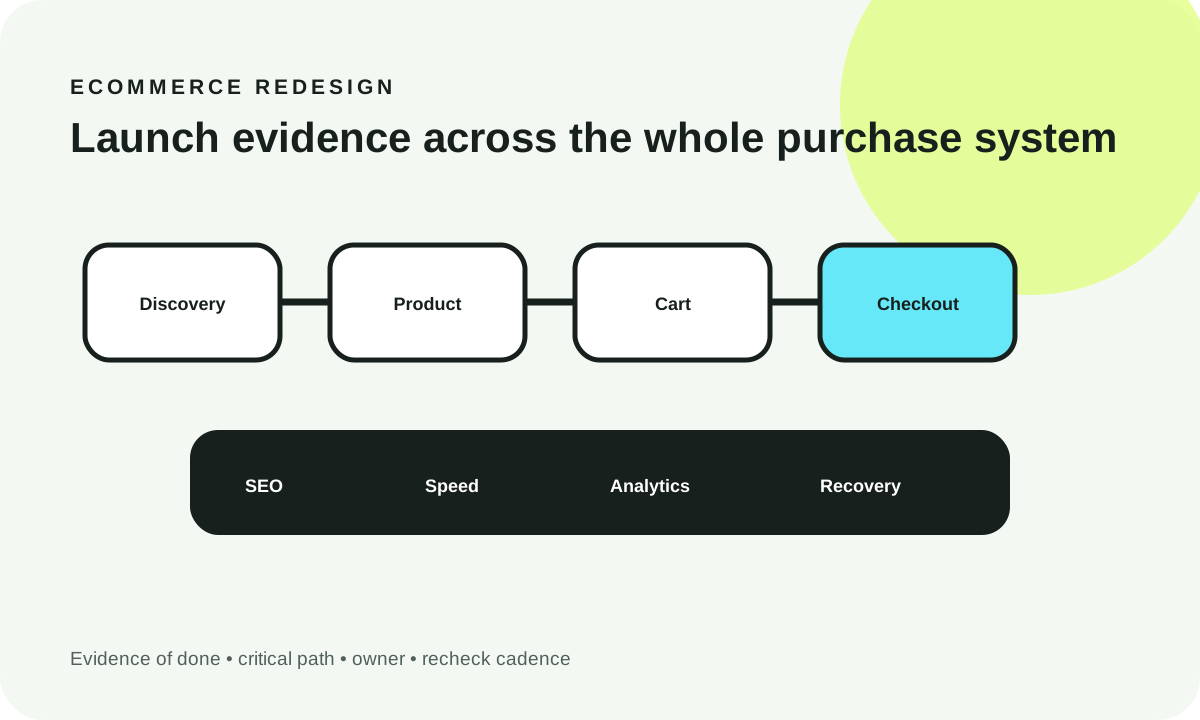
A website security checklist for a marketing or ecommerce site should begin with account ownership, multi-factor authentication, supported software, safe forms, payment-script controls and a tested recovery plan. The right goal is not to tick every possible security box: it is to identify which failures can expose customer information, interrupt sales or make the business unable to recover. Assign owners, collect evidence and revisit risky controls as the site changes.
What you'll decide: which checks block launch, what proof is sufficient, who owns recurring reviews, how payment-site risk differs from a brochure site, and how to turn a vague “secure website” claim into a workable action plan.
Reviewed October 20, 2026. U.S.-oriented technical guidance. This checklist is a prioritization model, not a live website penetration test, compliance attestation or guarantee against compromise. Refer to your provider and qualified security advisers for your actual architecture and applicable laws.
0. Decision snapshot: security is an operating responsibility
Imagine a store that launches with a beautiful checkout, fast product pages and an email capture form. A contractor controls the domain account, a forgotten marketing tag loads JavaScript from another company, the content-management platform has stale dependencies, and the only backup has never been restored. Even if the storefront looks perfect, the organization has no proof it can prevent or recover from several credible failures.
The key trade-off is launch speed versus demonstrable operational control. Not every medium-risk cosmetic improvement should block a campaign, but unknown administrative ownership, broken restore procedures, unapproved payment scripts or leaked secrets require immediate attention. Severity is contextual: a form failure on a brochure site differs from an exposed checkout credential or unexpected script running near payment data.
A checklist should record an owner, testing artifact, severity and recheck cadence. One spreadsheet entry reading “security done” is not proof. A successful restoration log, read-only inventory of authorized scripts, role-access export or documented test case is stronger evidence. The final decision remains with the accountable engineering, security and business owners.
1. Threat model for a marketing or ecommerce website
Start from assets, not from security product names. A marketing site holds administrator accounts, public brand content, forms, analytics configuration, customer inquiries and DNS routing. An ecommerce site adds catalog workflows, checkout integrations, order history and payment-adjacent scripts. Data boundaries, partners and legal obligations differ.
A practical threat model asks: What can be harmed? Who can change the system? How could an error be detected? Who can undo it? For example, credential theft may permit homepage replacement, malicious redirect insertion, data export or unwanted third-party script injection. Even without storing cardholder data directly, a business that can alter the payment page may have important security responsibilities.
| Threat or failure | Practical control | Evidence to collect | Likely owner | Launch risk |
|---|---|---|---|---|
| Domain hijack or account loss | Registrar ownership, MFA, recovery paths and DNS approval | Account ownership export, role list, protected change record | Engineering/security | Critical |
| Unauthorized CMS access | Least-privilege roles and MFA where supported | Redacted account audit, tested removal of stale access | Security/content ops | Critical |
| Outdated code or extensions | Dependency inventory, patch workflow and regression tests | Versions, advisory review, test result and change log | Engineering | Critical when exploitable |
| Form spam or injection | Server validation, quotas and safe handling | Negative tests and rate-limit observations | Engineering | Contextual |
| Malicious payment script | Authorized script inventory and integrity/change detection where applicable | Documented payment page script review | Engineering/security | Critical for affected checkout |
| Data loss | Independent backup, recovery drill and runbook | Restored sample data and dated recovery log | Operations/security | Critical |
| Invisible outage or compromise | Monitoring, alert routing and protected logs | Alert drill and assigned escalation contact | Operations/security | High |
This is a qualitative editorial matrix, not a claim that any named business has these weaknesses. Categories and severities should be revised against actual scope and loss potential. Use the OWASP Application Security Verification Standard for risk-appropriate application requirements and CISA's secure practices as background on MFA, updates and phishing resilience.

Original educational threat model. The pathways are illustrative, not a penetration-test result or a real vendor security report.
2. Domain, DNS and TLS controls
The domain is often a single point of failure. If the web agency or a departed employee is the only person who can access the registrar, an otherwise excellent site can go offline or route to an attacker-controlled endpoint. Make the business the accountable registrar owner, document at least two authorized recovery paths and use phishing-resistant MFA where the provider supports it.
Review domain expiration settings, registrant information, DNS record approval, privileged roles and the change history. A technical reviewer should validate the expected authoritative nameservers and check that deprecated records do not continue to point at retired infrastructure. For a migration, capture the current DNS zone before editing; changes need an authorized rollback plan and a sensible time window.
TLS protects traffic in transit only when certificate, redirect and termination policies are correctly deployed. Check certificate validity, all relevant hostnames, HTTP-to-HTTPS behavior and mixed-content failures. If a site has several domains or CDN layers, confirm end-to-end expectations. HTTPS alone does not mean an application is protected from malicious scripts or a compromised administrator.
What counts as evidence?
Useful artifacts are an account access review, a documented DNS recovery procedure, HTTPS and certificate validation results, and a review of who can issue configuration changes. The owner should be able to answer who would recover the site if the principal administrator were unavailable tomorrow. Recheck privileged access and DNS changes quarterly and after staffing changes; track certificate renewal continuously through the provider's operational tooling.
3. Authentication and administrative access controls
Admin accounts usually carry greater risk than public visitor accounts. Require individual identities and roles rather than shared team credentials. Use MFA, appropriate session expiration, least-privilege content roles and a fast offboarding process. If a third-party agency administers the system, grant only the permissions required for its tasks and log administrative changes.
Review the entire administration chain: CMS, registrar, CDN, hosting, payment processor, deployment platform, analytics and customer-support integrations. Protecting only the CMS login leaves high-impact privileges elsewhere. Some platforms support single sign-on or stronger authenticators; choose an approach consistent with your organization's risk and provider capabilities.
A practical access-review test
List everyone with rights to publish, edit scripts, reset passwords, change DNS, export leads or create payment credentials. Ask the owner of each system whether the permission is still needed. Attempt a controlled removal of a test contractor account and verify access actually ends, including through secondary tokens or integrations. The evidence should not contain real passwords, personal recovery codes or confidential credentials.
If MFA is unavailable for a material privileged role, document compensating restrictions and a replacement plan. An access log is useful only if someone reviews it and an alert has a reachable owner. Policies without tested enforcement are statements of intent.
4. CMS, dependency and software-supply-chain controls
Many websites use a combination of a content platform, ecommerce framework, runtime, plugins, build services and vendor scripts. Each element can change without the marketing team noticing. Keep an inventory of what runs in production, which owner can update it and which updates can disrupt publishing, checkout or lead capture.
Prioritize publicly reported, relevant high-impact vulnerabilities and unsupported components. Use a reviewed update path rather than “update everything directly on Friday.” Test critical buyer flows in staging; document version changes and the ability to recover a known-good deployment when appropriate. A release should not silently re-enable an abandoned plugin.
Use dependency and container scanning within your authorized engineering process, but do not mistake a clean automated report for proof that custom authentication, business logic or external data flows are safe. The OWASP Software Component Verification Standard and OWASP ASVS can help frame verification scopes.
Third-party code requires an exit plan
For every plugin or SaaS integration, ask why it is installed, what information it receives, which permissions it holds and whether it can be removed without destroying site content. Prefer maintained packages and clearly identified providers. A one-click form enhancer that injects code into checkout is a different risk from a visual asset served as a static image.
A monthly routine can review updates and ownership, with faster action when a material security advisory affects exposed software. Save a test report rather than screenshots that omit the meaningful failure cases.
5. Headers, CSP and browser protections
Browser-facing controls can reduce exposure to certain classes of attacks when correctly configured. Useful topics include appropriate Content Security Policy (CSP), cookie attributes, framing restrictions and sensible referrer behavior. These controls complement, rather than replace, application input validation and secure authentication.
CSP is not a magic filter. A policy deployed too aggressively can break checkout, analytics or legitimate content; a policy that allows arbitrary scripts offers limited protection. Inventory the scripts and resource origins a page actually needs, test a restrictive policy in a monitored environment, review violations and deploy safely with the relevant application owner. Keep the policy aligned with vendor changes.
Use the MDN CSP reference for technical syntax and the OWASP Content Security Policy Cheat Sheet for defensible rollout practices. Avoid publishing a copied header string without checking your application. An image library, payment provider or embedded review widget may require intentional exceptions, and every exception deserves an owner.
Proof beats a green screenshot
A browser security header test is a starting signal. Record representative page types and user journeys, verify no legitimate behavior broke, and keep the reviewed policy and test date. A browser header alone cannot attest that user permissions, server configuration or payment processing are secure.
6. Forms, file uploads and abuse prevention
Public forms are attractive targets for spam, automated abuse and malicious inputs. Validate and normalize untrusted data on the server, enforce expected field types and limits, prevent unsafe data interpretation, and ensure error messages do not leak internal information. Client-side required fields improve user experience; they are not a security boundary.
Add rate limits and abuse controls appropriate to actual traffic. A simplistic system that blocks everyone using a shared network may reduce legitimate enquiries. If CAPTCHA or other challenges are used, check accessibility, privacy and false-positive handling. Review whether the site should collect a particular data field at all before investing in defenses for it.
If uploads are allowed, use size limits, a restrictive type policy, safe storage and separate processing from public execution paths. Test disallowed or malformed uploads in a controlled authorized environment without using dangerous payloads against production. Provide deletion and retention handling for customer-submitted files.
Evidence and recurring responsibility
For a form, evidence might include negative validation tests, throttling observations, an accessible error flow and a test message that reaches the intended destination without exposing contact information in logs. For uploads, use an approved test fixture and record rejected file formats and access boundaries. Schedule checks after material form, API, or vendor changes.

Illustrative counts, not audit results. The interactive tool below computes its actual bars entirely from the reader's selections.
7. Secrets and environment separation
Never put production API keys, authentication tokens, service credentials or signing secrets into browser-delivered code, a marketing article, a repository example or public analytics payloads. A frontend “environment variable” is not necessarily secret: if a bundler exposes it to the browser, visitors can read it. Keep sensitive operations behind properly authorized server interfaces.
Use an approved secret store or appropriately protected server-side mechanism. Restrict who can rotate a secret, document where it is consumed and audit production access. Separate test and production credentials; examples should use placeholders, not real copied values. A staging environment that can silently mutate production records is not truly isolated.
When a leak is suspected, follow the incident process: identify impact, rotate or revoke affected access through the legitimate provider, preserve evidence and evaluate data exposure. Simply deleting a secret from a current file may not remove it from history, copied builds or already-issued tokens.
Operational evidence
Review the list of credential-owning systems, role permissions, key rotation practice and deployment configuration without showing secret contents. Automated secret scanning can help find accidents but should not be your only control. The site owner needs confidence that a departing contractor cannot continue changing production by using a forgotten account or key.
8. Backups, logs, monitoring and incident readiness
A backup is not proven by the existence of an archive. The site must be able to restore relevant content, databases, configuration and media within a recovery objective acceptable to the business. Choose schedules based on actual data changes and tolerated loss, not a generic promise of “daily backup.”
Perform a bounded restore into a separate authorized environment. Record who initiated it, what data was included, how long the procedure took and which business functions were tested afterward. Do not overwrite production while running a demonstration. A content-only restore might recover page text but lose payments, inventory or webhook configuration.
Monitoring should detect high-impact failures such as unavailable checkout, broken inquiry delivery, suspicious administrative access or unsuccessful jobs. Alerts must reach an actual responsible person. Define severity, on-call ownership, escalation and recovery communication before launch; a message routed to an unmonitored mailbox does not create incident readiness.
Logs support investigation only if handled correctly
Record enough event details to reconstruct an incident, while minimizing personal data and excluding raw passwords, API keys, payment secrets and unnecessary user content. Restrict log access, set appropriate retention and synchronize timestamps. The OWASP Logging Cheat Sheet details security-logging considerations.
Conduct a tabletop drill for a plausible event: a legitimate credential is abused, checkout begins failing or an update unexpectedly removes published pages. The team should know which person can contain the event, contact external partners, preserve evidence and authorize restoration. Privacy notification duties are context-dependent and warrant professional legal review.

Illustrative response sequence, not a substitute for a business-specific emergency runbook or legal determination.
9. Third-party scripts, payment providers and vendor risk
Marketing, analytics and ecommerce stacks commonly load script tags supplied by outside providers. A script permitted to execute in the browser can be powerful, particularly when it influences a checkout page. Inventory tags and their business purpose. Remove unneeded scripts and require an authorized review for additions or changes to sensitive journeys.
PCI DSS requirements depend on the actual payment architecture, scope and validation route. The PCI Security Standards Council's payment-page security guidance discusses protecting payment pages against e-skimming and the relevance of requirements 6.4.3 and 11.6.1. The Council's SAQ A clarification distinguishes embedded payment forms from redirect or other fully outsourced flows. Do not assume every site has the same obligations just because it uses a payment provider.
Where relevant, control authorization and integrity of payment-related scripts and detect unexpected changes. A consent management platform does not automatically solve payment-page script security; its purpose and threat model differ. Payment-system security reviews should involve the processor, acquiring bank and qualified assessor as applicable.
Vendor inventory and responsibility
For each provider, identify the contract owner, data types involved, authorized script origins, incident notification process, technical contact and removal path. When a provider changes its JavaScript or payment integration, revalidate the affected user journey. A vendor's compliance statement is not a substitute for checking the merchant's actual configuration.
The critical distinction is between delegating a service and retaining responsibility for a page the organization controls. In particular, a merchant-controlled page that embeds a payment form can have relevant script risks even if the payment processor handles sensitive account data. Confirm boundaries using the latest applicable PCI materials rather than generic marketing advice.
10. Launch and recurring website security checklist
A launch gate should not be an endless list of green boxes. The gate needs a small set of documented, risk-based conditions: control of the domain, secure privileged access, maintained code, safe handling of secrets, recoverable backups, functional customer workflows and a named incident lead. Ecommerce adds payment-page script and checkout responsibilities. A team can then schedule lower-risk improvements without silently accepting serious exposure.
| Check group | Release evidence | Owner class | Recurring review |
|---|---|---|---|
| Domain, TLS and admin control | DNS/registrar review, TLS check, MFA role export | Engineering/security | Quarterly and on staffing changes |
| CMS and dependencies | Supported version inventory, patch and rollback test | Engineering | Monthly and on major advisories |
| Forms, uploads and consent | Server-side rejection tests, end-to-end submission, consent verification | Engineering/marketing/data | Release changes and quarterly |
| Checkout and payment scripts | Payment-flow test, documented script authorizations and responsibility split | Engineering/security/vendor | Every material integration change |
| Backups and incident response | Dated restore drill, alert simulation, recovery contacts | Operations/security | Quarterly |
| Data and logging controls | Secret inventory, sensitive-log redaction, permission audit | Engineering/security | Each release and quarterly |
Live planning tool: assign proof and see your outstanding launch risks
The interactive launch tracker below starts with all controls pending. Choose marketing or ecommerce to adjust applicability, then assign an owner, status and whether a real artifact was reviewed. It deliberately does not certify your website. Only controls marked Completed and Artifact reviewed contribute to the teal verified bar. Critical unresolved checks remain visible even if work has begun. Use the category/owner filter for a smaller working view, but the overall counts still include every applicable control.
Interactive marketing and ecommerce security launch tracker
How to interpret and act on the tracker
If a control is marked completed but its evidence remains “Not supplied,” the result remains open. For example, saying backups are enabled does not prove that restore works. Likewise, an engineer choosing “Artifact reviewed” does not independently attest that the document is genuine; a qualified reviewer should inspect it. The chart is a transparent summary of self-reported inputs, never a vulnerability scan.
The ecommerce toggle adds payment-specific controls. An embedded checkout flow and a redirect-only payment flow may warrant different control ownership and assessment approaches; the tracker supplies a conservative planning set, not a PCI scope determination. Export the open actions into the team's ticket or procurement process. Never paste passwords, customer records or confidential incident details into a public browser tool.
Should this checklist be completed before launch?
Resolve the controls that materially threaten accounts, checkout, customer data or recoverability before enabling the affected capability. A pending noncritical documentation improvement can have a scheduled owner after launch if the accountable stakeholders accept that risk. Do not label a payment integration “safe” based only on visual QA. Obtain relevant security, privacy and payment compliance sign-off.
Is a website safe if it has TLS and a firewall?
No. Transport encryption and perimeter defenses do not establish that administrators use MFA, input is validated, scripts are authorized or backups can be restored. Defense in depth combines multiple safeguards that serve different failure paths. A web application firewall is useful in many architectures but is not a substitute for fixing vulnerable application logic.
Are regular backups enough for ecommerce?
Not without tested restoration and a clear data consistency plan. Orders, inventory, customer communications and webhook changes may occur between snapshots. Define recovery point and recovery time objectives that match the business's tolerance and assess whether partner systems can reconcile after a failure.
Can a marketing team maintain the checklist?
Marketing can own tag approvals, content publishing and privacy-related review tasks. Engineering and security professionals should own sensitive configuration, authentication, dependencies, incident response and technical verification. A useful plan assigns each control to an accountable role without expecting marketers to perform penetration testing.
What is the first practical next step?
Export the current website inventory: domains, CMS/framework versions, privileged account types, forms, data destinations, scripts on checkout, hosting boundaries, backups and responsible teams. Complete a supervised review of the critical controls, keep artifacts in an appropriate secure internal system and schedule rechecks. Treat newly added plugins, forms, languages and payment providers as change triggers that reopen the relevant controls.
For an implementation plan that covers ecommerce UX, technical architecture and operational ownership, explore WebDesignK ecommerce website services. A helpful discovery brief includes the approved site architecture, current owner matrix, critical gaps and a non-sensitive action summary exported from the tracker. Contact the team to define scope and realistic acceptance tests; no agency can guarantee immunity from compromise or universal regulatory compliance.
Related published resources: Ecommerce website development cost and scope, Shopify versus custom ecommerce tradeoffs, and Technical SEO audit essentials help with budgeting, operating model and crawl-safe migration alongside security.
Primary technical references (reviewed October 20, 2026): OWASP ASVS, OWASP Logging Cheat Sheet, OWASP CSP Cheat Sheet, MDN CSP, CISA Secure Our World, PCI SSC payment-page security guidance and PCI SSC FAQ 1588.
This editorial checklist is not legal advice, a security assessment, a PCI DSS validation or authorization to probe systems. Work only on systems you own or are explicitly authorized to assess; use relevant professionals for security and payment scoping.