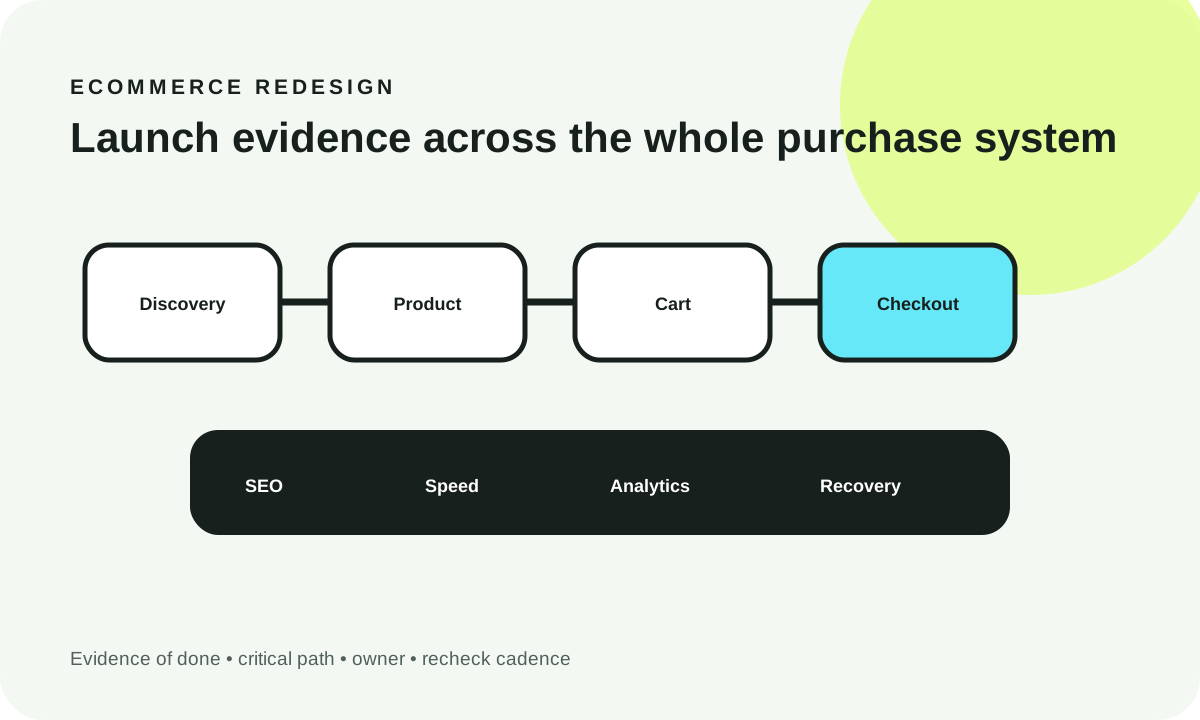
An ecommerce SEO checklist should verify that category and product pages are useful, crawlable, correctly linked and accurately represented in search—not merely that metadata exists. Start by mapping indexable category and product URLs, then decide which faceted filters deserve separate landing pages and which combinations should stay out of crawling or indexing. Test product data, pagination, canonical signals, speed, analytics and recovery before launch, with a named owner and evidence for every critical control.
What you’ll decide: which URLs belong in search, what to do with filter combinations, how to validate product availability and schema, and which technical checks must block release.
Reviewed October 19, 2026. Recommendations reference publicly documented Google guidance; example catalogs, counts and performance states are illustrative, not findings from a real store.
0. Decision snapshot: prioritize useful indexable pages, not every possible URL
The core trade-off is shopping flexibility versus search-engine crawl efficiency. Customers may legitimately need filters for color, size, material, price or availability. But every filter combination need not become a separate search landing page. A poorly controlled filter system can produce many near-duplicate URLs, consume crawl resources and delay discovery of valuable products.
Create a small explicit inventory of pages intended for organic search: major categories, valuable subcategories, product pages and a limited number of filtered pages with independent search demand and genuinely useful results. Treat the remaining facets as a customer navigation feature, subject to a documented crawl/indexation policy.
Google’s guidance on faceted navigation distinguishes preventing crawling of unneeded URLs from optimizing the limited set of filtered URLs you want crawled. A canonical link is a consolidation hint, not the same mechanism as a robots.txt crawl block. Do not apply both without checking how the chosen strategy will be discovered and interpreted.
1. How to use this checklist and define “done”
This checklist is a release process, not a motivational list of SEO tips. Each check needs a severity, owner, evidence artifact, actual outcome, and recheck cadence. “Installed an SEO plugin” is not adequate evidence of a compliant product page. A useful acceptance artifact might be a rendered HTML excerpt, a crawl export, a URL Inspection result, a product feed comparison or an approved redirect inventory.
Mark a check done only when an owner verifies the result on the relevant template or URL sample. Where the store contains thousands of SKUs, define a representative sample covering in-stock, out-of-stock, new, discounted and variant products, plus both indexed and intentionally excluded filter combinations.
Use three release categories:
- Critical/blocker: wrong canonical targets, accidental noindex on important pages, inaccessible products, private data exposure, broken checkout or major redirect loss. Hold release until resolved or explicitly risk-accepted by the authorized owner.
- High priority: incomplete descriptive content, poor internal linking, mismatched product feeds, confusing variants or template performance issues. Fix before broad traffic expansion, and schedule follow-up if a narrowly scoped launch is justified.
- Routine/recurring: fresh metadata, broken links, structured-data enhancements and post-launch monitoring. Record an owner and cadence instead of letting them become nobody’s responsibility.
The interactive audit later in this article lets you filter checklist tasks, mark demonstrated evidence complete, see progress by severity and copy a handoff report. Its checkmarks are local planning state—not an independently run crawler or proof of compliance.
2. Critical preflight: establish an actual URL inventory
Before editing the frontend, export or crawl a representative list of canonical category, subcategory, product, parameter, pagination, search and campaign URLs. Compare that list with the sitemap and the URLs your business expects shoppers to find via organic search.
Check category discovery and depth
Can a crawler reach important categories and product pages through ordinary HTML links? Google’s ecommerce site structure documentation describes the importance of internal links and product prominence. A product reachable only after a visitor interacts with JavaScript filters may be difficult to discover from standard crawling.
Inspect the rendered DOM, not just a visual screenshot. Navigation should contain meaningful anchors with stable href destinations. Category pages should link to useful child categories, and product cards should link to distinct product URLs. Cross-links to popular, seasonal or complementary products should have an editorial reason, not exist just to increase link counts.
Define representative test states
A practical acceptance sample includes: a core category with abundant products; a narrow category with few products; an empty category; a product with variants; an out-of-stock product; a paginated category; a filtered URL with no search demand; and one filtered URL that the SEO team explicitly proposes to index. Record each URL and its expected status code, canonical, robots directive, title and sitemap inclusion.
| Critical check | Owner | Evidence to collect | Expected release state |
|---|---|---|---|
| Important categories discoverable | SEO + engineering | HTML-link crawl from homepage | Important URLs linked and reachable |
| Core category/product indexation | SEO | Rendered robots/canonical, Search Console inspection | Intended pages permitted and self-consistent |
| Facet explosion controlled | SEO + engineering | Sample parameters, crawl logs, filter inventory | Explicit crawl/index plan, not infinite URL discovery |
| Product schema matches page | Catalog engineering | Structured-data validation + rendered price/stock | Accurate product/offer/variant information |
| Outdated URL migrations covered | Engineering + SEO | Redirect map, 404/410 checks, test crawl | Correct destinations and no redirect chains |
| Checkout and security functional | Engineering + security | Authorized smoke tests and error logs | No broken transaction or exposed private content |
Evidence should be saved with a date and environment. A screenshot of a green dashboard badge cannot substitute for testing the actual selected URLs.
3. Strategy and content: categories and products need different jobs
Category pages help shoppers compare a set of products; product pages should answer questions about a specific item or variant. Using one generic title template across thousands of both page types may be technically valid HTML and still create a poor shopping experience.
Category page checklist
State the category clearly, summarize which products belong, offer helpful attributes and comparison routes, and link to related categories. Keep crucial text and navigation accessible without requiring a cookie banner interaction or an obscure script event. Avoid long generic paragraphs inserted solely for keywords; buyers want accurate product selection guidance.
For a fictional home-furnishing store, “Dining tables” could be a useful category, while “round oak dining tables” might justify a dedicated curated subcategory only if the catalog supports enough stable matching products and the store has evidence of distinct demand. A transient combination such as five filters and a low-stock toggle is unlikely to deserve an automatically indexable page.
Product page checklist
Use a distinct, human-readable product name, genuine specifications, accurate options, accessible product images, availability, price and shipping/return information where applicable. Create consistent canonical and variant URL behavior; test what happens when the shopper selects a different size or color. If two SKUs differ only by a selectable attribute, map that relationship deliberately rather than publishing two contradictory parent pages.
Google’s merchant listing structured-data guidance focuses Product/Offer markup on purchasable product pages and recommends checking rendered price and availability. For variants, ProductGroup markup guidance describes group identifiers and variant properties. Neither guarantees a rich result; eligibility and appearance depend on Google’s requirements and decisions.
Why empty and discontinued products are special
A temporarily unavailable product can still be useful if the information is truthful and alternatives are shown. A truly removed product may need a 404/410 or a legitimate redirect to a close replacement; do not redirect everything to the homepage. Empty categories require a documented policy based on whether the page offers enduring value, not a blanket rule that every empty URL should stay indexable.
4. UX and conversion: verify the shopper can act
SEO ends badly if a shopper reaches a correct page but cannot choose a variant, interpret shipping terms or add the product to the cart. Test the discovery-to-purchase journey alongside crawlability; the two share templates and data dependencies.
For category pages, inspect filter labels, selected-state indicators, keyboard navigation, product count changes and a clear reset. Do not make a selected option impossible to remove. Ensure result lists have meaningful empty states and reflect the selected filter without showing a stale cached count.
On product pages, test variant-dependent stock, images, price, quantity and CTA feedback. Confirm links to shipping, returns and support are visible when shoppers need them. A descriptive alt text should communicate the image’s purpose; a decorative icon can have empty alt text rather than duplicating an adjacent label.
Mobile scenarios worth actually exercising
Choose a narrow mobile viewport, low-bandwidth profile, keyboard navigation and screen-reader spot checks. Confirm that sticky filter bars and cookie dialogs do not cover product names, focus indicators or the final submit button. Use proper labels and live status announcements when filters update the result count. Test consent and analytic scripts without sacrificing the checkout journey.
A performance score does not prove that a filter dropdown is usable. Combine real browser interaction testing with field performance metrics and a complete test transaction.
5. Technical performance: verify the template, not only the homepage
An ecommerce storefront typically has several rendering paths: home, listing, product, search, cart and checkout. A fast homepage tells you little about a category page that loads hundreds of product cards or a product page with large image galleries and third-party review widgets.
Measure loading responsiveness and layout stability on representative templates. Google’s Core Web Vitals guidance describes LCP, INP and CLS and emphasizes field measurements for real users. Use consistent cohorts and adequate sample sizes; a single Lighthouse run is diagnostic, not a population-level statement about all shoppers.
Test link discovery with pagination and lazy content
A “load more” button can be useful for shoppers but should not be the only way a crawler can discover deeper products. Google’s ecommerce pagination guidance explains how crawlable link destinations and stable page URLs support discovery; crawlers do not necessarily click interactive controls. If an infinite-scroll layout has no crawlable pagination fallback, fix the URL and linking design before adding more SEO text.
For each listing template, verify initial HTML, product anchors, pagination links, stable sorting, correct status codes, generated metadata, cache invalidation and out-of-stock data changes. If product cards use client-side hydration, confirm that a temporary API failure does not erase the meaningful content from search-engine-rendered output.
Compression, stability and caching
Optimize images for their displayed dimensions and reserve layout space before they load. Defer nonessential widgets where this does not conceal primary product content. Audit cache headers, CDN behavior and the propagation time of changed inventory. A stale cached price can be a trust or transaction problem as well as an SEO mismatch.
6. SEO and indexation: design a facet policy deliberately
Faceted navigation allows shoppers to narrow a list using attributes such as brand, color, price, material and size. When filters generate distinct URLs, combinations can grow multiplicatively. For illustration, three colors, four sizes and five materials yield 60 combinations if exactly one value from each dimension is selected. Adding optional absence of each filter yields (3+1) × (4+1) × (5+1) − 1 = 119 nonempty filter states in that simplified one-selection-per-facet model. Multi-select and sorting can increase the real URL space further.

Two intentionally different strategies
- Useful filtered landing page: a stable curated URL or filtered page with independent search demand, meaningful unique selection and helpful content. Its indexation, self-canonical, internal links and sitemap inclusion must agree. Test that the page actually serves the intended result set.
- Filtering for browsing only: combination URLs with little independent search value, especially sorting, tracking parameters and arbitrary mixes. Prefer restricting unnecessary crawling where compatible with the site’s architecture, while maintaining accessible buyer navigation and crawlable primary category/product pages.
Google’s faceted-crawling documentation recommends preventing crawling of unwanted combinations when possible. It also notes that canonical hints may eventually reduce crawling but are generally less effective than a suitable crawl-prevention approach. A robots.txt block prevents the crawler from seeing page-level noindex and canonical directives; therefore do not claim that robots.txt + noindex on the blocked page is a reliable single-step deindexing strategy. For already indexed parameter URLs, plan removal and consolidation based on their existing state rather than blindly blocking everything.

Practical indexation rulebook
| URL type | Typical decision | Test/evidence | Priority owner |
|---|---|---|---|
| Core category | Indexable when useful and populated | Self-canonical, HTML links, sitemap, unique intent | SEO |
| Curated high-demand facet | Selectively index if independently valuable | Demand evidence, stable products, unique metadata, internal links | SEO + merchandising |
| Sort order | Usually keep out of index | Parameter variants, selected-state crawl | Engineering + SEO |
| Free-form search results | Usually exclude from index and control crawling | Robots policy, query variants, crawl logs | Engineering |
| Empty/no-result combination | Avoid soft-404 or infinite crawl behavior | Correct server behavior, alternatives, status sample | Engineering |
| Paginated listing | Preserve crawlable discovery | Next-page href, stable URLs, unique products | Engineering |
| Product variant | Define parent/variant canonical and schema | Rendered selected SKU, price/availability, ProductGroup mapping | Catalog + SEO |
| Removed product | Intentional response or genuine replacement redirect | Status code, source/destination meaning, sitemap cleanup | Catalog + engineering |
This table is a decision starting point, not an instruction that every filtered URL must be noindexed. Check existing organic demand and how canonical pages are currently selected before changing a large established store.
Tool: faceted-navigation and release audit
Use the article-specific lab below to enter counts of possible facet values, a demand assessment, a proposed URL policy and a crawl observation. It estimates a theoretical one-value-per-facet URL space; it does not fetch your site or claim to know real indexed URLs. The same tool supplies a severity-filtered, owner-labeled launch checklist with explicit proof requirements. Use its copyable output as a ticket starter, then validate a real URL sample in your crawler and Search Console.
Facet crawl-space and evidence checklist lab
7. Analytics: distinguish visibility from commerce outcomes
Before launch, verify the continuity of product impressions, listing views, add-to-cart activity, actual checkouts and qualified orders, with privacy-aware instrumentation appropriate to the store. A funnel based only on page views cannot tell you whether customers found the right products or merely clicked around filters.
Search Console provides search appearance, page indexing and crawl-related evidence, while your ecommerce analytics platform provides shopping behavior. Join them only when definitions and reporting permissions support it. Avoid sending unnecessary personally identifiable information, checkout credentials or sensitive query strings into general analytics events.
For release analysis, record a baseline time window and the time of changes. Label major catalog imports, redirect deployments and indexation-policy changes so that later search impressions are not attributed to the wrong release. Segment category templates, product templates and facet landing pages; a site-wide average can hide a critical template regression.
Recurring observations
Every week after launch, inspect unanticipated non-indexed category/product samples, spikes in crawled parameter URLs, broken product images, unexpected canonical targets and core lead/order instrumentation. Monthly, evaluate whether selectively indexable facet pages deliver useful organic visitors and whether catalog changes have invalidated their evidence. Quarterly, revisit the underlying taxonomy and migration/export process.
These are suggested review intervals, not a universal guarantee that Google will recrawl on schedule.
8. Security, accessibility and compliance
SEO controls affect data exposure. A filtered URL might accidentally include an internal customer identifier or private catalog view if URL construction is poorly isolated. Prevent sensitive identifiers from becoming public crawl paths, and authorize access to customer-specific prices or order records on the server rather than trusting the UI.
Ensure robots.txt and noindex settings do not substitute for authentication: search exclusion is not access control. Protect admin routes, API credentials, order endpoints and product administration separately. Validate return/refund statements and structured data against the actual policies of the business; seek local legal review where needed.
Test form labels, filter interaction, keyboard focus, announced result updates and checkout completion. Use relevant W3C form guidance and accessible status messages. Check cookie/consent handling without sending sensitive purchase or customer data into analytics.
9. Launch and handoff: make verification reproducible
A reliable release should have a documented URL inventory, content ownership, product feed owner, crawl/indexation policy, redirect plan, template QA evidence and rollback process. For each blocking item, assign the individual role authorized to accept or reject a release.

Release evidence matrix
| Check | Category | Severity | Owner | Evidence | Release interpretation |
|---|---|---|---|---|---|
| Categories and products crawlable | Technical | Critical | Engineering + SEO | HTML crawl, links, status codes | Block if intended pages inaccessible |
| Facet crawl policy approved | SEO | Critical | SEO + engineering | URL samples, robots/canonical test, crawl logs | Block if uncontrolled URL space |
| Canonical and sitemap consistent | SEO | Critical | SEO | Representative URL inspection | Block if critical pages excluded |
| Product price/stock/schema agree | Technical | Critical | Catalog engineer | Rendered product + validated schema/feed | Block if materially inaccurate |
| Filter keyboard and reset | UX | High | Design + QA | Browser and keyboard test | Fix before broad release |
| Product image optimization | UX | High | Frontend engineer | Template performance and image audit | Triage based on real impact |
| Ecommerce events verified | Analytics | High | Analytics + finance | Sandbox order and event audit | Do not make unverified ROI claims |
| Security and private data protected | Security | Critical | Security engineer | Auth/control and logging review | Block if private data exposed |
The live mini-tool provides a matching practical audit you can filter and mark complete. A check is evidence-backed only when the project team actually attaches the artifact; the browser tool cannot independently verify it.
Handoff includes failure handling
The on-call owner should know how to roll back robots or canonical changes, where feed sync errors appear, how product variant or structured-data mistakes are corrected, and who validates fixes. Keep an unmodified baseline crawl and a restore-ready redirect map.
If a platform migration is involved, test old product URLs and existing backlinks before flipping a redirect. A giant 301 map that sends discontinued products to unrelated categories can mislead customers and search engines. Handle removed items individually based on a relevant replacement, remaining utility and correct HTTP response.
10. First 30 days: monitor and improve deliberately
During the first week, verify that important category and product URL samples are crawlable and correctly indexed or intentionally excluded; check server error reports and actual order processing. Preserve snapshots of the launch configuration. Fix critical visibility and transaction failures promptly.
In weeks two and three, examine search and crawl observations, especially facet parameters, canonical selections and new product discovery. Inspect whether product schema remains aligned with stock changes and whether category internal links reflect current merchandising priorities. If organic traffic is small, use direct URL inspection and actual crawl artifacts rather than invented performance claims.
By day 30, compare a like-for-like period and the same group of templates where data is sufficient. Review unexpected growth in parameter URLs, missing product URLs, broken internal links, page performance and qualified business outcomes. Plan subsequent monthly checks and assign owners for newly discovered failures.
Common questions
Should every filter combination be indexable? No. Most do not justify a distinct page. Choose based on stable demand, useful product sets, unique purpose and crawl costs, then verify the decision.
Can canonical replace a robots.txt block? No. A canonical is a hint for consolidation and may take time to influence crawling; blocking crawl changes what directives can be discovered on the page.
Should unavailable products return 404 immediately? Not always. A temporarily unavailable item may remain useful with truthful availability and alternatives; permanently removed items need a deliberate 404/410 or relevant redirect decision.
Where should Product schema go? Usually on specific purchasable product pages, following Google’s merchant-listing requirements—not generic category listings. Use appropriate variant grouping for related SKUs.
Will this checklist guarantee better rankings? No. It provides a verifiable release and monitoring process; search appearance depends on many factors and the site's actual useful content.
For a technical storefront audit and implementation plan, WebDesignK’s ecommerce website service can help review taxonomy, product data, site templates, filtered navigation, integration quality and rollout ownership. Useful inputs are a sample category URL, two product variants, the robots/canonical policy, search indexing observations and a sanitized crawl export. The deliverable should be a prioritized, reproducible technical plan rather than a promise of ranking gains.
Related reading: Ecommerce redesign checklist, Headless ecommerce trade-offs, and Shopify versus custom ecommerce.
Primary sources: Google’s ecommerce SEO documentation, managing faceted crawling, ecommerce URL structure, merchant Product markup, product variants and pagination patterns.
Reviewed October 19, 2026. Examples and diagrams are original explanatory models; no store's search results, revenue or indexing status has been measured by this page.