Quick answer
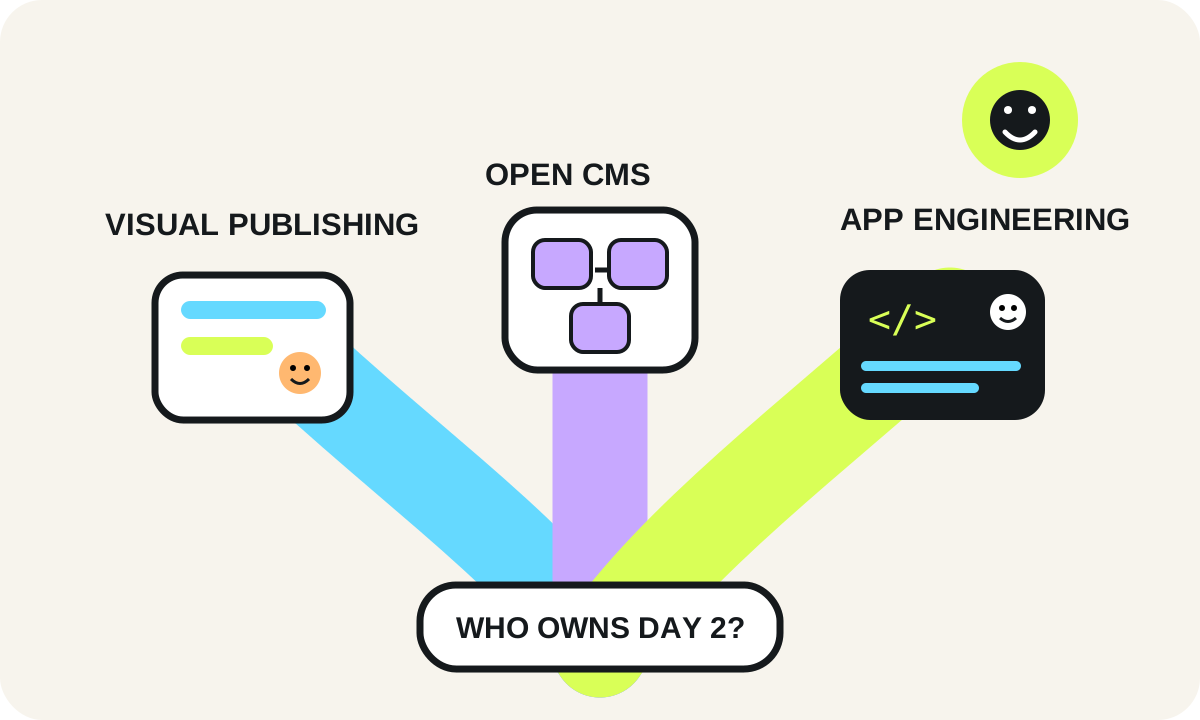
Webflow favors visual/editor autonomy and fast launch inside a hosted platform boundary. WordPress favors rich publishing/extensibility with explicit CMS maintenance. Next.js favors application-level control and custom integration depth with engineering ownership. The scorer below uses disclosed WebDesignK planning assumptions and your weights; it is not a platform benchmark or universal ranking.
Last reviewed: 2026-09-19T12:48:00.000ZWeighted decision scorer
Set importance from 0 (not relevant) to 5 (critical). Webflow/WordPress/Next.js fit values are transparent WebDesignK editorial planning assumptions, informed by current official platform documentation. They model operational tradeoffs—not measured performance, price, security, SEO outcomes or market ranking. Your weights drive the result.
1. Grouped criterion contribution bars
Each group shows how much the current importance weight lets each option contribute on that criterion. The overall fit summary sits above the grouped bars.
2. Weighted criteria radar
Shape shows which criteria each option satisfies under your current importance settings.
- Cost predictability: weight 3
- Speed: weight 3
- Ownership / control: weight 3
- SEO / performance: weight 3
- Integrations: weight 3
- Scale / engineering headroom: weight 3
- Governance: weight 3
- Editor experience: weight 3
3. Criteria contribution heatmap
Cells combine each option's disclosed fit (1–5) with your importance weight (0–5).
Assumption note: option fit values are transparent WebDesignK editorial planning assumptions, not measured market performance. The result changes only from your criterion weights and the disclosed matrix.
Tables built for the buying decision
Primary decision table
| Criterion | Webflow | WordPress | Next.js | Tradeoff | Who should care |
|---|---|---|---|---|---|
| TCO | Platform + workspace/site needs + specialist implementation + external tools | Hosting + implementation + plugins/themes if used + update/backup/security operations | Engineering + hosting + CI/CD/observability + CMS/content system when needed | Bundled platform simplicity vs modular ownership vs custom engineering | Finance, marketing ops, engineering leaders |
| Launch speed | Often fast for visual marketing sites | Fast with an established theme/block/plugin standard | Fast when design system, CMS and deployment conventions already exist | First-launch speed depends on existing operating system, not framework alone | Lean teams and campaign-heavy organizations |
| SEO / performance | Strong common controls in a managed delivery model | Highly flexible; outcome depends on theme/plugins/hosting/configuration | Deep rendering/caching control; implementation quality determines outcome | Control increases engineering responsibility | SEO and performance owners |
| Ownership | Vendor-hosted platform plus your site/custom-code/integration ownership | You choose hosting and own the CMS/plugin/theme operating surface | You own application code, deployment behavior and architecture choices | More ownership creates more freedom and more responsibility | CTO, platform and operations teams |
| Integrations | Good for standard SaaS/client-side/API patterns; complex backend work often external | Broad plugin/API ecosystem; plugin-specific data models can create coupling | Maximum freedom for custom APIs and workflows | Integration depth can be a decisive boundary | RevOps, product and engineering |
| Scale | Suitable when requirements stay inside platform capabilities | Can scale with disciplined hosting/cache/architecture | Can scale across custom app patterns with engineering ownership | Traffic volume alone does not decide; architecture and team do | High-growth and multi-system teams |
| Security / governance | Less infrastructure to operate directly; custom scripts/integrations still governed | Core/plugin/theme/host provenance, updates, access and backup policy matter | Software supply chain, secrets, CI/CD, runtime and app security are first-class | Responsibility shifts rather than disappearing | Security, compliance and enterprise buyers |
| Editorial workflow | Visual, centralized authoring is a core strength | Mature CMS/editor ecosystem with many workflow choices | Requires a CMS/admin workflow for frequent non-developer publishing | Best editor UX depends on content model and governance | Content, design and marketing teams |
Switching-cost map: what actually has to move
| Layer | From Webflow | From WordPress | From Next.js | Validation before cutover |
|---|---|---|---|---|
| Content model | Export/transform CMS data separately from static code | Map posts/pages/taxonomies/custom fields | Map CMS/API contracts and schemas | Field-level sample migration and editor review |
| Design system | Rebuild Webflow classes/components in target system | Rebuild theme/block/page-builder structures | Port components/tokens or rewrite framework-specific UI | Representative template parity and accessibility review |
| URLs / redirects | Preserve collection/page URLs and redirect history | Preserve permalinks, archives and plugin-generated routes | Preserve route contracts and generated paths | Crawl old/new URL inventories and test redirects |
| Forms / search / hosted features | Replace hosted features not reproduced by code export | Replace plugin/theme-dependent behavior as needed | Replace app services or CMS search/forms contracts | End-to-end submission/search tests |
| Integrations | Recreate custom scripts, APIs and external automations | Audit plugin/API dependencies and stored data | Recreate API clients, webhooks, queues and secrets | Contract tests and failure-path testing |
| Operations | Define new hosting/deploy/monitoring ownership | Define host/update/backup/security policy | Rebuild CI/CD, runtime, logs, alerts and rollback as needed | Named owner + rollback rehearsal |
Turn this planning result into a scoped review.
Send the assumptions, constraints and result summary. WebDesignK can review the architecture/content/implementation boundary, identify missing discovery inputs and return a prioritized next-step scope.
- Bring: current site/product, constraints, integrations and your tool result.
- You get: a scoped recommendation, open questions and implementation priorities.
Decision snapshot for Webflow vs WordPress vs Next.js
Webflow is usually the best fit when a marketing or design team needs to publish polished pages quickly with limited engineering involvement. Self-hosted WordPress is often the practical middle ground for content-heavy sites that need a broad plugin ecosystem and familiar editorial workflows. Next.js fits teams that need application-grade control, custom integrations, complex rendering or product behavior and can own engineering operations. The decisive tradeoff is editor autonomy versus technical control.
What you’ll learn / decide: which stack matches your team structure, publishing model, integration depth, SEO/performance needs, governance requirements and tolerance for ongoing engineering work; what each option costs operationally after launch; and what actually has to move when you switch later.
The comparison below treats “WordPress” as the open-source, self-hosted CMS on infrastructure you choose. It treats “Next.js” as an application framework that normally needs a CMS or content workflow alongside it when non-developers publish frequently. Webflow is treated as the hosted visual site platform unless a section explicitly discusses code export.
Quick decision summary: best-fit scenarios
Choose Webflow when the site is primarily a marketing experience, brand system or campaign engine; designers and marketers need direct control; integrations are mostly standard SaaS embeds/APIs; and the organization values launch speed more than deep backend ownership. Webflow can be extended with custom HTML, CSS and JavaScript, but that is not the same operating model as owning a full server application.
Choose WordPress when content volume, editorial familiarity and extension breadth matter most. The open-source core plus themes/plugins can cover a large range of business-site requirements, but the flexibility comes with an explicit maintenance surface: hosting, backups, core updates, plugin/theme updates, compatibility checks and security ownership need a named operator or managed host.
Choose Next.js when the website behaves partly like a software product: account-aware experiences, custom APIs, unusual data sources, complex experimentation, advanced personalization, product-led flows, or frontend behavior that cannot be cleanly expressed inside a visual CMS. Next.js can be deployed as a Node.js server, Docker container, static export or through supported adapters; the tradeoff is that somebody must own the application lifecycle.
The conditions that flip the choice
The choice flips toward Webflow when non-engineers must ship frequently and the requirements fit the platform. It flips toward WordPress when editorial depth and plugin-enabled functionality matter more than a tightly controlled custom application architecture. It flips toward Next.js when product logic, integration depth, deployment architecture or performance engineering become first-class product requirements rather than occasional enhancements.
A useful warning: “we have developers” is not sufficient reason to choose Next.js, and “we want marketers to edit” is not sufficient reason to reject it. A Next.js site paired with a well-designed headless CMS can offer strong editor autonomy, but you are then choosing and operating two systems instead of one.
Side-by-side comparison on buyer criteria
The comparison table below is deliberately operational. It asks what your team must own after launch rather than awarding abstract feature points. Use it before the scorer so you know what the weights actually mean.
For Webflow, code export can provide HTML, CSS, JavaScript and assets on eligible Workspace plans, but Webflow documents important limits: CMS, ecommerce/user-account functionality, localized dynamic content and several hosted features are not included as functioning equivalents in the export. That makes “we can always export later” a partial portability strategy, not a complete migration plan.
For WordPress, the extension model is a core strength: plugins exist specifically to add functions beyond the lean core. The same extension model creates dependency management. WordPress documentation recommends keeping plugins/themes current and maintaining backups because updates can fail or create compatibility problems.
For Next.js, control is broad but deployment mode matters. Static export can run on any web server that serves static assets, while features such as ISR and other server-dependent capabilities require a supported server/runtime model. “Next.js” therefore does not imply one hosting architecture.
Do not compare editor UI alone
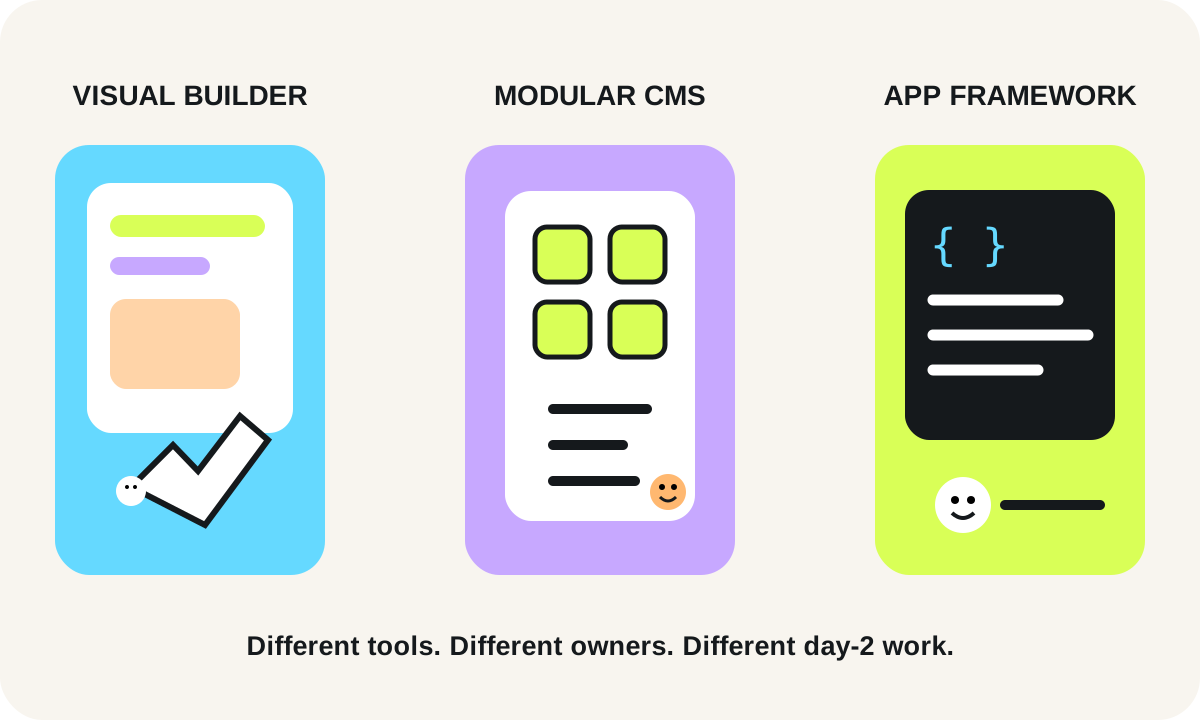
A platform can feel easy during the first week and become expensive in year two if ownership is unclear. Evaluate the whole chain: content model, preview/review, deployment, redirects, forms, integrations, analytics, security response, dependency updates, backups, incident recovery and who can make a safe change at 4 p.m. on a Friday.
Total cost of ownership
Do not reduce TCO to a plan price or hosting invoice. For this comparison, cost should include the people and systems needed to keep the site useful. Because vendor pricing changes, this article intentionally does not publish a universal monthly cost benchmark. Review current vendor pricing for your exact market and plan when budgeting.
Webflow TCO usually concentrates spending in the platform subscription, seats/workspace needs, specialist design/implementation, third-party apps and any custom-code maintenance. The platform reduces some infrastructure work because hosting and much of the product lifecycle are handled for you. The cost increases when requirements repeatedly push outside the platform’s native model and the team accumulates brittle custom scripts or external services.
WordPress TCO can be economical, but the relevant cost is hosting + premium plugins/themes if used + implementation + update/backup/security operations + compatibility remediation. A managed WordPress host can absorb part of that burden, while a self-managed stack moves it to your team. Plugin count is not a cost metric by itself; dependency criticality and quality matter more.
Next.js TCO is dominated by engineering. Hosting can be simple or sophisticated, but the organization owns application code, dependency updates, CI/CD, observability, regression testing, content integration and runtime decisions. If a headless CMS is added, include that platform and its content-model integration in the lifecycle.
A better budgeting question
Ask: what recurring capability must remain staffed for this stack to stay healthy? Webflow needs platform-aware site ownership. WordPress needs CMS/infrastructure stewardship. Next.js needs software engineering stewardship. If the organization cannot name that owner, the cheapest-looking option may become the most expensive operationally.
Speed to launch and day-2 operations
Webflow often wins the first-launch race for design-led marketing sites because visual layout, CMS, hosting and publishing live in one product workflow. That speed matters when a small team needs to iterate on positioning, landing pages and campaigns without creating engineering tickets for every layout change.
WordPress can also launch quickly, especially when a mature theme/block system and known plugin set already exist. The difference appears after launch: somebody needs to manage the release/update surface. WordPress supports plugin/theme auto-updates, but its own documentation still advises backups and acknowledges that update behavior depends on the installation and hosting environment.
Next.js launch speed depends on how much infrastructure and design-system work already exists. A team with a component library, CI/CD, CMS integration and deployment conventions may move rapidly. A team starting from zero must build those operating capabilities before “simple page edits” feel simple.
Who owns the 2 a.m. problem?
For Webflow, platform incidents and core hosting are largely vendor-owned, while your team owns site configuration, custom code and external integrations. For WordPress, responsibility is split across host, core, theme/plugin vendors and your implementation team. For Next.js, the infrastructure provider may operate the platform, but your team still owns application behavior, deployments and code-level failures.
Day-2 ownership should be written into the decision: who publishes, who reviews code, who monitors uptime, who owns redirects, who responds to a compromised integration, who restores from backup and who can rollback a bad release.
SEO, performance and technical flexibility
All three stacks can support strong technical SEO when implemented well. None guarantees rankings. The differences are in control, defaults and operating discipline.
Webflow gives marketing teams direct access to many common SEO controls and a managed delivery environment. It is strong when the information architecture is conventional and the team benefits from centralized visual/content control. Technical flexibility narrows when a requirement depends on server-side application logic or platform features that are not available in exported static code.
WordPress can produce excellent crawlable websites and gives teams deep control over content structure through core, themes and plugins. Performance varies with hosting, theme architecture, plugin behavior, caching and media practices. The platform’s flexibility means there are many ways to implement the same requirement—good governance matters.
Next.js offers the deepest rendering and application control of the three. Official documentation supports static export, server deployment and incremental regeneration in appropriate modes. That flexibility can create very fast, resilient experiences, but only when the team understands caching, rendering, data fetching and deployment behavior. A poorly engineered Next.js site is not automatically faster than a well-run CMS site.
SEO flexibility is not editor flexibility
Next.js can expose every technical control an engineer wants while still creating a frustrating content workflow if the CMS model is weak. Webflow can provide a pleasant editor workflow while limiting a very unusual rendering need. WordPress can sit in the middle, but plugin-driven SEO workflows still need standards. Evaluate both the technical surface and the publishing surface.
Integrations, data ownership and lock-in
“Can it integrate?” is too broad. Ask whether the integration needs to display data, write data, run secure server logic, synchronize at scale or participate in a product workflow.
Webflow supports custom client-side code and a growing integration ecosystem, but complex server behavior normally lives in external services. If you later leave Webflow, exported static code is not a complete clone of hosted CMS/ecommerce/localization behavior. Plan portability at the content/data level, not only the HTML level.
WordPress keeps content in a database you control on the hosting stack you choose, and its plugin/API ecosystem makes many integrations straightforward. Lock-in can still appear at the theme, page-builder or plugin layer: proprietary shortcodes, custom fields and plugin-specific data models may require transformation during a move.
Next.js gives you the most freedom to choose databases, APIs, CMS products and hosting patterns. That reduces framework-level lock-in but can increase architecture-level switching cost because your team may build custom contracts around those choices. Owning the code does not make migration free.
Map the system of record before choosing
Identify where canonical content, customer data, product data, media and form submissions live. A website stack should not accidentally become the system of record for data that belongs in CRM, PIM, commerce or product systems. Clear boundaries make every future migration easier.
Security/governance/enterprise requirements
Security comparisons are frequently oversimplified. The relevant question is which responsibilities the platform absorbs and which responsibilities remain with your organization.
Webflow reduces the amount of infrastructure your team directly operates, but custom code, third-party scripts, permissions, domain configuration and external integrations still require governance. Enterprise requirements should be checked against current contractual/product documentation rather than assumed from the public plan.
WordPress governance must include core, plugin and theme provenance, update policy, backup/restore testing, least-privilege admin access and hosting security. The WordPress project actively ships security and maintenance releases; that is a reason to run an update process, not evidence that WordPress is inherently unsafe.
Next.js governance looks like software governance: dependency management, CI/CD permissions, secrets, runtime configuration, logging, rollback, infrastructure policy and application security. When self-hosting, Next.js documentation recommends placing a reverse proxy in front of the application server rather than exposing it directly.
For regulated or contract-sensitive environments, involve qualified security/privacy/legal stakeholders for requirements such as data residency, processor terms, retention and incident obligations. A framework comparison article cannot determine compliance.
Scenario recommendations by company stage
Scenario 1: lean marketing team, few engineers
A 10-person B2B company has one designer/marketer, occasional freelance development and a site whose main jobs are positioning, case studies, landing pages and lead capture. Webflow is a strong candidate because the value is publishing speed and visual autonomy. WordPress is also reasonable if the team already has trusted WordPress operations. Next.js adds engineering ownership that may not create proportional business value unless the site is tightly connected to the product.
Scenario 2: growth company with deep content and integrations
A 70-person company publishes frequently, has structured content, multiple marketing tools, CRM workflows and an internal developer who can maintain the web stack. WordPress or a CMS-backed Next.js architecture can both fit. WordPress is attractive when editorial breadth and existing integrations dominate. Next.js becomes attractive when website behavior increasingly overlaps with product/application behavior. Webflow remains viable if requirements stay within its platform model and designers are the primary operators.
Scenario 3: complex enterprise or product-led platform
A larger organization needs multiple data sources, strict deployment controls, complex authentication boundaries, shared component systems and custom experiences across marketing and logged-in product journeys. Next.js is often the most flexible candidate, paired with an appropriate CMS and platform engineering process. This is not because Next.js has a universally higher “enterprise score”; it is because the organization has the team and requirements to exploit application-level control.
Scenario 4: editorial organization already standardized on WordPress
A publisher or content-heavy organization has trained editors, established WordPress workflows and proven infrastructure. Replatforming purely for fashion creates risk. Keep WordPress unless a measurable constraint—performance architecture, integration complexity, governance or product requirements—justifies migration. Modernization inside the current platform can be the better project.
Migration and switching considerations
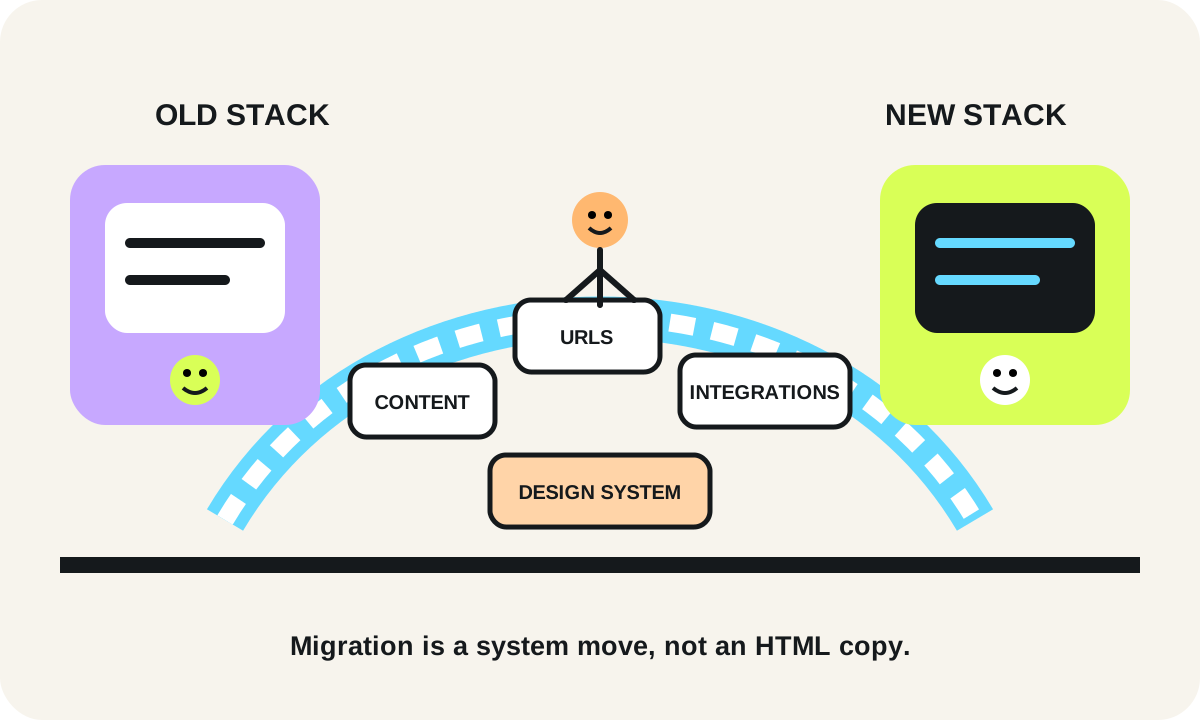
Migration effort is driven by content model + design system + URL history + integrations + workflow, not by page count alone.
Moving from Webflow requires deciding what happens to CMS collections, localized content, forms, search and any hosted functionality that code export does not recreate. Static exported HTML/CSS can be useful reference material, but the new system still needs content ingestion, templates and equivalent services.
Moving from WordPress usually requires extracting posts/pages/media/taxonomies/custom fields, mapping plugin-specific data, preserving URLs and redirects, and rebuilding theme/page-builder behavior. The more business logic lives in plugins and custom fields, the more discovery matters.
Moving from Next.js means the source code is available, but switching frameworks or CMS still requires replacing components, routes, rendering/caching assumptions, content SDKs and deployment automation. Custom architecture increases both freedom and the amount of architecture that has to be understood.
Switching-cost checklist
Before approving a replatform, inventory: canonical URLs and redirect history; structured content fields; media library; reusable components; forms and spam controls; search; localization; analytics/consent tags; CRM and marketing automation; authentication; ecommerce/product data; preview/review workflows; accessibility requirements; DNS/CDN behavior; deployment/rollback; and the people who own each item.
Run the old and new systems in parallel long enough to verify critical templates and data flows. Avoid combining a redesign, domain change, content rewrite, analytics migration and platform migration without a controlled rollout plan unless the business accepts the compounded risk.
Decision checklist and FAQ
Use this short decision sequence before treating the scorer as a recommendation:
- Who must be able to publish without engineering?
- Is the site primarily marketing content, a content platform or an application surface?
- Which integrations require secure server-side behavior rather than an embed?
- Which system owns canonical content and business data?
- Who owns upgrades, dependencies, backups, monitoring and rollback?
- What would have to be rebuilt if you leave in two years?
- Which constraints are requirements versus preferences?
- Can the team test a representative page, workflow and integration before committing?
Is Webflow bad for complex sites?
No. “Complex” is not a useful boundary by itself. Webflow can support sophisticated visual/content sites. The decision flips when requirements depend on application behavior, server-side logic, data architecture or portability needs that sit outside the platform’s intended operating model.
Is WordPress outdated?
No. WordPress remains an actively developed open-source CMS. The relevant question is whether its content model, extension ecosystem and operational responsibilities fit your organization. A neglected WordPress installation is an operations problem; a maintained one is a legitimate modern architecture choice.
Is Next.js always the fastest option?
No. Next.js provides strong performance primitives and deployment choices, but outcomes depend on implementation. Rendering strategy, JavaScript, data fetching, media, third-party scripts and infrastructure choices still determine user experience.
Does Next.js replace a CMS?
Not usually for content-heavy teams. Next.js is a web application framework. Non-developer publishing commonly requires a headless CMS, custom admin system or another content source. That additional system should be included in TCO and governance.
Can we export Webflow and host it anywhere?
Eligible Webflow Workspace plans can export site HTML/CSS/JavaScript/assets, but Webflow’s documentation states that hosted CMS, ecommerce/user-account functionality, localized dynamic content and several hosted features are not exported as working equivalents. Validate your exact features before relying on export as an exit plan.
What should we prototype before deciding?
Build one representative content template, one high-value conversion flow and one difficult integration. Ask the people who will actually publish and maintain it to use the prototype. The best stack is the one whose day-2 workflow matches your organization, not the one that wins a generic feature checklist.
Final decision rule
Use Webflow when visual/editorial autonomy and launch speed dominate and platform boundaries are acceptable. Use WordPress when rich publishing and extensibility dominate and you have a maintenance model. Use Next.js when custom product behavior and architecture control dominate and you can staff engineering ownership. If two options remain close, choose the one with the clearer day-2 owner and lower switching risk for your real content and integrations.
Frequently asked questions
Is Webflow better than WordPress?
Neither is universally better. Webflow often reduces infrastructure and visual-publishing friction, while WordPress offers a broad open CMS/plugin ecosystem with more maintenance responsibility.
Is Next.js better for SEO than Webflow or WordPress?
No framework guarantees SEO results. Next.js offers deep rendering and performance control, while Webflow and WordPress can also produce strong crawlable sites when implemented well. Content quality, information architecture, performance and technical execution matter.
Does Next.js replace WordPress or another CMS?
Not by itself for most content-heavy teams. Next.js is an application framework; non-developer publishing usually requires a CMS or custom content workflow.
Can I export a Webflow site and leave the platform?
Eligible Workspace plans can export HTML/CSS/JavaScript/assets, but Webflow documents that CMS/ecommerce/user-account functionality, localized dynamic content and several hosted features are not exported as functioning equivalents.
Is WordPress secure enough for a business website?
It can be when the hosting, core, themes, plugins, access controls, backups and update process are maintained appropriately. Security is an operating model, not a one-word platform property.
What is the safest way to choose between these stacks?
Prototype one representative template, one conversion workflow and one difficult integration, then let the real publishing and engineering owners operate it. Compare day-2 ownership and switching cost, not only launch demos.
Sources and assumption boundaries
Fast-changing platform, pricing and search claims were reviewed on 2026-09-19T12:48:00.000Z. Interactive scores and scenarios are clearly labeled planning models, not sourced market benchmarks.
- Webflow Help Center — How do I export my Webflow site code? Official Webflow documentation for code export eligibility and the CMS/ecommerce/localization/hosted-feature limits of exported sites; reviewed September 19, 2026.
- Webflow Help Center — Choose a Site plan Official Webflow documentation for custom-domain hosting and site-specific CMS/custom-code/SEO feature access; reviewed September 19, 2026.
- Webflow Help Center — Custom code embed Official Webflow documentation describing client-side HTML/CSS/JavaScript embeds and the absence of server-side language execution in the embed model; reviewed September 19, 2026.
- WordPress.org Documentation — Introduction to Plugins Official WordPress documentation describing plugins as the extension mechanism for adding functionality beyond core; reviewed September 19, 2026.
- WordPress.org Documentation — Plugin and theme auto-updates Official WordPress documentation for plugin/theme update operations, automatic-update controls and backup guidance; reviewed September 19, 2026.
- Next.js Documentation — Deploying Official Next.js documentation for Node.js, Docker, static export and adapter deployment modes; reviewed September 19, 2026.
- Next.js Documentation — Static Exports Official Next.js documentation for static-export capabilities and unsupported server-dependent features; reviewed September 19, 2026.
- Next.js Documentation — Self-Hosting Official Next.js self-hosting guidance including reverse-proxy recommendations and runtime operations; reviewed September 19, 2026.


